- バックアップ一覧
- 差分 を表示
- 現在との差分 を表示
- ソース を表示
- パッチノート へ行く。
- 1 (2021-07-21 (水) 22:43:03)
- 2 (2021-07-21 (水) 22:48:20)
- 3 (2021-07-22 (木) 04:44:23)
- 4 (2021-07-26 (月) 01:14:39)
- 5 (2021-07-27 (火) 02:06:42)
- 6 (2021-08-09 (月) 23:35:40)
- 7 (2021-08-17 (火) 09:50:22)
- 8 (2021-08-25 (水) 21:27:23)
- 9 (2021-09-08 (水) 18:22:04)
- 10 (2021-10-20 (水) 20:44:41)
- 11 (2021-11-10 (水) 02:24:38)
- 12 (2022-02-20 (日) 06:20:02)
- 13 (2022-10-19 (水) 19:28:37)
パッチノート †
Going Medievalのアップデートに関するパッチノートを記載しております。原文はこちらになります。
- パッチノート
- Pathc Notes 0.9.11
- Pathc Notes 0.9.9
- Pathc Notes 0.9.9
- Pathc Notes 0.9
- Pathc Notes 0.8.36
- Pathc Notes 0.8.35
- Pathc Notes 0.8.33
- Pathc Notes 0.8.32
- Pathc Notes 0.8.30
- Pathc Notes 0.8.28
- Pathc Notes 0.8.26
- Pathc Notes 0.8.25
- Hotfix 0.8.22
- Pathc Notes 0.8.21
- Pathc Notes 0.8.20
- Pathc Notes 0.8.19
- Pathc Notes 0.8
- Pathc Notes 0.7.17
- Pathc Notes 0.7.15
- Pathc Notes 0.7.11
- Pathc Notes 0.7.1
- Pathc Notes 0.6.2.6
- Pathc Notes 0.6.2.5
- Pathc Notes 0.6.2.4
- Pathc Notes 0.6.2
- Pathc Notes 0.5.31.15
- Pathc Notes 0.5.31.13
- Pathc Notes 0.5.31.9
- Pathc Notes 0.5.31.8
- Pathc Notes 0.5.29.3
- Pathc Notes 0.5.28.6
- Going Medieval is OUT NOW!
Pathc Notes 0.9.11 †
2022年10月18日
- Bugs and Fixes
- Fixed the issue that caused massive lags and stuttering.
- Fixed the issue that prevented heraldry menu opening from in-game, causing the game to pause and glitch.
- Known issues:
- Animals get stuck on slopes and stairs sometimes,save/load fixes this. However, if you know a definitive way to recreate this scenario, please do let us know. It’s been really hard to replicate the issue on our side.
- If two or more shrines (of the same type) are constructed next to one another, settlers will use just one for praying purposes.
- Several messages are still in English for all languages.
- If your settlers are experiencing weird animations with some actions, be sure to cap the game's FPS in the game's options. Cap it to 60fps. If the issue persists, cap it at 30.
Pathc Notes 0.9.9 †
2022年10月12日
- Bugs and Fixes
- Fixed several crash occurrences.
- Fixed the issue that caused the same animal to be both sent to the caravan and stay on the map.
- Fixed the issue that caused storage capacity to stay the same, after selling/buying animals while on that caravan.
- Fixed the issue that caused pets to walk super slow during the hauling sequence.
- Fixed the issue that caused particles to have selection outlines in some cases.
- Fixed the issue that prevented construction and blood particles from colliding with ground properly.
- Fixed the issue that prevented alcohol resources from automatic consumption due to lack of nutritional value in the json file.
- Fixed the issue that caused the removal of the training mark in some cases.
- Fixed the issue that allowed the taming of the merchant’s animals.
- Quality of life improvements
- Several performance improvements have been implemented.
- Alcohol resources will be automatically consumed now.
- Animal order code has been simplified.
- Known issues:
- Animals get stuck on slopes and stairs sometimes,save/load fixes this. However, if you know a definitive way to recreate this scenario, please do let us know. It’s been really hard to replicate the issue on our side.
- If two or more shrines (of the same type) are constructed next to one another, settlers will use just one for praying purposes.
- Several messages are still in English for all languages.
- If your settlers are experiencing weird animations with some actions, be sure to cap the game's FPS in the game's options. Cap it to 60fps. If the issue persists, cap it at 30.
Pathc Notes 0.9.9 †
2022年10月5日
- Bugs and Fixes
- Fixed several crash occurrences.
- Fixed the issue that caused perks of new settlers to be displayed as placeholder icons during the new settler event.
- Fixed the issue that caused settlers to ignore crop harvesting.
- Fixed the issue that caused the appearance of the ‘Harvesting’ goal for settlers, even though they are not doing that.
- Fixed the issue where merchant’s domesticated animals would walk over the traps and die in the process.
- Fixed the issue that caused certain animal types to have orders on them that they shouldn’t - eg. pet would have a “Train” order active.
- Fixed the issue that caused animals born during caravan travels to be spawned on the settlement map. Now, they’ll be added to the caravan and will be spawned on the map once that caravan returns.
- Fixed the issue that caused settlers/animals to stand at a stockpile for a while/appear frozen, unable to perform intended hauling functions.
- Fixed the issue that caused the progress duration of construction to stay at 0 in some cases.
- Fixed the issue where settlers would refuse to harvest ripe fields.
- Bugs and Fixes
- If two or more shrines (of the same type) are constructed next to one another, settlers will use just one for praying purposes.
- Several messages are still in English for all languages.
- If your settlers are experiencing weird animations with some actions, be sure to cap the game's FPS in the game's options. Cap it to 60fps. If the issue persists, cap it at 30.
Pathc Notes 0.9 †
2022年10月3日
Update #5 | Animal Trading †
The new major update titled “Animal Trading” is now live on Steam, Epic Games Store, and GOG. All those fixes and improvements from the experimental branch are now stable, tested, and present in this update! These include: the option to trade animals, food pouches, signs, and various other tweaks and improvements.
But first, for an optimal user experience, we suggest that you:
Disable Mods if you have them †
Please note: if you are using unofficial mods (especially those related to crops) you might experience crashes or even an inability to start the game. If you do, turn the mods off before starting the game. If the problem persists, be sure to delete all of the folders in the steamapps\common\Going Medieval and then verify the game files.
Now, onto the update - we’ll separate them into different segments:
ANIMALS †

Animal Trading
You can finally trade animals with other settlements/merchants.
- Trading with merchants:
- Every once in a while, a merchant will appear, accompanied by some animals that they can trade.
- Both domestic animals and pets can be traded from your side. The animals you get from merchants will be domesticated.
- Merchants can have animals that are not for trading (their own pets).
- Animal type (domesticated/pet) will not influence barter value - you will not get a better value if you use pets for bartering.
- Animals can be taken with settlers in caravans. In that case, they (animals) will not need food for a caravan trip. Also, some animals will increase the carrying capacity of the caravan.
- Animals that are locked away will appear gray in the trading menu.
We wanted to emphasize each animal type more especially to make having pets for combat fun. We had to be careful not to make animals overpowered when retaliating.
Depending on the type (domestic, wild, pet), animals have different stats:
- Pets deal more damage, heal faster and bleed less from wounds.
- Domestic animals bleed less from wounds but don’t deal more damage.
- Wild aggressive animals deal more damage than regular wild animals.
FOOD †

Food consumption and nutrition adjusted
- Here are the notable changes:
- When hungry, settlers will look for food with the most nutritional value.
- Depending on their hunger state and location in relation to chairs, settlers might want to sit while eating.
- Sitting in a chair with no table will give different mood effectors, as opposed to a chair & table.
- Settlers will look to sit and eat in the great hall first, then a room, then under a roof, then outside. Of course, their search will depend on their location in relation to the aforementioned places. If there is no such place nearby, they’ll stand and eat.
- We rebalanced the amount of nutrition that the settler gets from meals and raw food (before a meal would bring around 85-100 nutrition, now it is set to about 80-90 while raw food has been lowered from 25-40 to 10-15 nutrition).
Due to the rebalance of nutrition the amount of dropped meat and raw resources from plants has increased by 20-40%. Because of this, the amount of raw food for cooking meals has doubled (for meals, packaged meals, and lavish meals). - Since the consumption of raw food offers low nutrition, settlers will eat multiple piles of it (if the food of better quality is not present) to satisfy their hunger.
Settlers have food pouches now
These function as a small storage space attached to them, where settlers can store food for later. This should solve the problem of settlers abandoning their work and traversing major distances to get to their settlement, just to eat something. Some things to note, settlers will only store:
- Food enabled in their Manage panel.
- Food in the meal category (so no raw foods, only packaged, lavish, stew, etc).
- Food that is on shelves and or stockpiles.
Other things to note about the pouch:
- When a settler gets hungry, they’ll primarily eat the food from the pouch. Refilling their pouches is a new goal we’ve added to settlers.
- Settlers will prioritize refilling their pouches during a non-working schedule.
- You can order settlers to consume food from their pouches within the settler’s inventory. If you do that, settlers will not search for chairs or random spots, etc - they’ll eat where they stand. This will happen even if settlers are drafted.
- Settlers can store 1x from the food pile in the pouch,
- Food stored in those pouches will rot/decay. If it reaches 0 hp, it will disappear from the settler's pouch. If it reaches 0% freshness, it will turn into a pile of rot and the settlers will drop it on the ground. The only meal that will drop as rot will be roasted meat, but the chances for that happening are close to none. You have to put the meat that is already close to rotting in the pouch and hope that the settler doesn't eat it.
Think of the pouch as a personal pile that is one-time use, easy to refill, and near your settler.
HAUL †
Hauling logic has been recalculated - You’ve probably experienced situations where a bunch of animals in your settlement, along with settlers, were hauling stuff all the time. That created situations where settlers would stand still for 3-10 seconds while they calculated what to do next. Our quickfix up until now was to limit the number of animals that can haul per their species - they did not haul as frequently, and would have a big cooldown until the next haul goal. While there is no need for that anymore, we think some balancing is in order. So, the animals will haul faster now, but some are still nerfed when it comes to their frequency.
Added hauling priority for the resource type - All of the resources have a haul priority located in the Resources.json file. The setup at the moment is that items and resources have the highest hauling priority. Fret not - the stockpile/shelves priority is still valid and will not clash with this priority. These items will be hauled to the closest/highest priority free stockpile.
Multi-pile haul is implemented - If a settler picks a small pile during their haul goal, they’ll look for the piles of the same type nearby and pick as many as they can (and if they were not reserved by another settler). This prevents scenarios where settlers would go back and forth just to pick a bunch of small piles of the same type. Note: This will not occur if the hauled piles are dedicated for production.
Overweight hauling - Settlers and animals can now haul singular piles over 60kg, but in doing so will slow down.
BUILDING †

New building type: Signs - These wooden constructs do not add anything to the game, except give a bit of personality to your settlement.
- You can place them on the ground or attach them to a wall
- There are 4 different shapes in total and you can put a symbol on them and choose a color for that symbol.
- Messages can be left on signs. Typing in a message will show as a tooltip when hovered over the sign.
- Quality of life improvements:
- Optimized the game a bit and improved performance mid to late game.
- Animal number control during animal events has been modified as well. Now animal events will be rare as you have more of the same animal. Domesticated dogs will stop appearing when you have around 10x dogs.
- Animals now have type info when clicking on them (to clear the confusion for players about why pets can't be in pens).
- Animals in the “Animal” panel can now be sorted by species, type, age, etc.
- Added ‘mark/clear all’ for hunting, taming, training, hauling, and battling (basically, any tickable/markable thing in the Animal panel). This way you can mark all of the animals to be hunted or clear of all hunt orders etc.
- Tooltips and hover effects are added to the Animal panel.
- Animals should not spawn on 'islands' they cannot get off from.
- Players will not be able to use hay/fodder/seeds as nutritional elements for settlers on caravan anymore. That was silly.
- Harvest and cut markers are hidden on crop fields. Now the field itself determines when the crop should be harvested/cut and the orders of the player will override this in all cases.
- Auto equip and drop item changed: now settlers will not drop forbidden items but will only auto equip things that are on stockpiles.
- Added BBT message when a piece of equipment is destroyed on the settler (ex settlers have a shield, the shield gets hit and gets destroyed).
- NPC characters will leave at once if you attack them.
- Deconstruct order will cancel uninstall order.
- Uninstall or move order will cancel deconstruct order.
- Cider is removed from the game. With the introduction of fermentation, we decided that you’ll get Fruit Juice from the fermentation of fruits. That fermenting pile will turn into a rough wine after some time. -Since any fruit can be used for this process, it also means all of them will turn into rough wine.
- Text for raid appearing is now translated into all languages.
- Additional text has been added that explains that animals don't waste food when in caravans.
- Bugs and fixes:
- Fixed the issue that caused drafted settlers to ignore orders.
- Fixed the issue that caused settlers to ignore animals that they didn’t manage to kill the first time.
- Fixed the issue that prevented a merchant event from ending upon save/load, if that merchant turned aggressive in the meantime.
- Known issues:
- In some cases, settlers will stop while hauling from one stockpile to another (or shelf to shelf) - this does not break the game but looks weird and annoying.
- Settlers will sometimes refuse to harvest ripe fields. solved with save/load
- Several messages are still in English for all of the languages.
- If your settlers are experiencing weird animations with some of the actions, be sure to cap the game's FPS in the game's options. Cap it to 60fps. If the issue persists, cap it to 30fps.
Pathc Notes 0.8.36 †
2022年7月22日
- Bugs and Fixes
- Fixed the issue that caused the loss of certain weapon animations upon loading the game.
- Fixed the issue that caused graves to ignore stability updates.
- Fixed the issue where placing beams under completed structures (such as floors, walls, etc.) wouldn’t always refresh stability properly.
- Fixed the issue where objects placed on beams wouldn’t change stability when those beams changed their stability.
- Fixed the issue where beam stability would appear the same in each construction phase (blueprint/constructed).
- Fixed the issue where a couple of animals on one grid space would appear as if they are on top of each other.
- Fixed a couple of issues where settlers wouldn't properly prioritize crop planting, harvesting, and cutting.
- Fixed the issue where all furniture pieces would be registered as storage buildings.
- Fixed the issue that caused settlers to try to pick up multiple pieces of equipment at the same time while hauling, resulting in a hauling loop.
- Fixed the issue that prevented settlers from sowing crops in some cases, despite having necessary resources in their possession.
- Fixed the issue that prevented a raid event from ending.
- Fixed the lag that occurred if a player would banish a settler, but that settler wouldn’t have a clear path for leaving the settlement.
- Fixed the issue that caused settlers to ignore cooking if that job was set to ‘1’ in the Job panel.
- Quality of life improvements
- Minor performance improvements.
- Bored animation states added to boars & chickens.
- Dismantle goal received better optimization.
- Production goal received a couple of fixes and should work better.
- Known issues
- Sound effects are missing for some actions like harvesting/mining etc.
- When the message appears that a settler can’t be banished, it will appear in English in all of the languages.
- If your settlers are experiencing weird animations with some of the actions, be sure to cap the game’s FPS in the game’s options. Cap it to 60fps. If the issue persists, cap it to 30fps.
- Some crop harvesting yields nothing. This occurs if one crop type has been turned into another one at some point in time (e.g. apples into cabbages). The solution (at the moment) is to cut old crops, destroy the cropfield and plant the ones that you want. We'll fix this in the next patch but don't know when that is happening.
Pathc Notes 0.8.35 †
2022年7月14日
- Bugs and Fixes
- Fixed several crash occurrences.
- Fixed the issue where settlers would still ignore repairing buildings in some situations.
- Fixed the issue that caused settlers to be stuck in dismantle loop with nothing to dismantle.
- Fixed the issue where a pet would freeze in place if the position of its owner was unreachable.
- Fixed the issue where a wrong message would appear during the Violent Extortionists raid if the extortionist settler was sent to the caravan but returned back before extortionists came.
- Fixed the issue that caused the Barn Door blueprint to have two colors when the resource for it was unavailable.
- Fixed the issue that caused arrows in-game to have purple color.
- Fixed the issue that caused multiple settlers to try and tend to the same person.
- Fixed the issue where particles during construction/production/harvesting/cutting would appear as squares.
- Quality of life improvements
- Animals will haul more frequently now, but not as they did before. We nerfed this because players with a lot of hauling animals would experience significant FPS drops. This issue is being fixed, but until then, animals will haul a bit less often. If you can’t wait for the fix, did not experience FPS drops, and understand that this might cause some other issues - you can edit files on your own. Find animalBase.json file, look for the animal type you want to modify, and change “fireHaulEndEffectorChance” to 0.
- Bored animation state added for deer.
- Known issues
- Sound effects are missing for some actions like harvesting/mining etc.
Pathc Notes 0.8.33 †
2022年7月12日
- Bugs and Fixes
- Fixed the issue where settlers would ignore food and starve to death, despite having food present.
- Known Issues
- Settlers would start to dismantle with nothing, and gain nothing as a result (except the XP), creating a loop in the process - this occurs if you dismantle more than one thing in a building (or if you put it on forever) - the first one will go as intended, but every next one will cause that issue. Right now, until we fix it - we suggest that you cancel that production and put the new one on queue. That reported fixes for some folks.
- Sound effects are missing for some actions like harvesting/mining etc.
- Particles during construction/production/harvesting/cutting can appear as squares.
- Sometimes, lag will still occur if a lot of animals are performing hauling. The only advice we can give you at the moment is to disable hauling for your pets in order to improve the framerate/settlers lagging.
Pathc Notes 0.8.32 †
2022年7月11日
- Bugs and Fixes
- Fixed minor crash occurrences.
- Fixed the issue that caused wolves to be stuck in idle walk animation between two points.
- Fixed the issue that caused reservation of production buildings, where a message ‘Already assigned to…’ would appear even though no one would work on those buildings.
- Fixed the issue that caused newborn animals to be a random number of days old.
- Fixed the issue that caused black bar texts to appear on influence events and after the end of raids.
- Fixed the issue that prevented the triggering of hunger effector in some cases which would cause settlers to starve, but not to eat.
- Fixed some of the issues that caused settlers to stand still for a long time, in between the tasks.
- Fixed the issue that caused wrong armor rating values to appear in tooltips.
- Fixed the issue where the ‘Tame’ order wasn’t working upon loading in some cases.
- Fixed the issue that caused settlers to be stuck in the hauling loop.
- Fixed the issue that caused the flickering of the mining marker.
- Fixed the issue that caused the flickering of the production circle.
- Fixed the issue where items were not pickable if they were located on graves.
- Fixed the issue that caused default clothes to reset upon entering the ‘Edit Scenario’ window.
- Fixed the issue that caused placeholder building resource icons to appear in settlers' inventory.
- Fixed the issue where all domesticated animals would go toward/into pen markers when idling, thus resulting in weird visual glitches.
- Fixed the issue where beam stability would always appear as 4 in the blueprint phase.
- Fixed the issue that caused incorrect messages to appear upon ordering the opening/closing of windows.
- Fixed the issue that caused settlers to look for beds that already had unconscious settlers in them.
- Fixed the issue where enemies would pathfind through settlers upon loading the game that was in the middle of the raid.
- Fixed the issue where the speed x5 would carry over to the daytime.
- Fixed the issue that prevented settlers from walking over walls, doors, and windows if those objects didn’t have floors on them.
- Fixed the issue that caused invisible slopes. Let’s hope that’s definitely fixed.
- Fixed the issue that caused the appearance of the blank notification when clicking on unavailable settlers in caravan formation.
- Fixed the issue that caused corrupted idle animation for merchant’s guards.
- Fixed the issue where plants would still grow even if there was a roof positioned above them.
- Fixed the issue that caused settlers to ignore repairing damaged buildings after a load.
- Fixed the issue where newborn domesticated animals would have trained stat at 99%, and newborn wild animals would have tamed stat at 99% in some cases.
- Quality of life improvements
- Raid end conditions are changed to make a bit more sense.
- A settler can have only one pet now.
- Added animations for slaughter, milking, and shearing.
- Settlers should be looking for the nearest beds now.
- Added ‘Traveling’ next to the settler's name in the ‘Animal’ panel. This will appear if the animals’ owners are currently on a caravan. Those settlers will also be grayed out.
- The animal haul process should work a bit better.
- Improved how temperature is calculated. This should result in less lag.
- Chests have different HP depending on their material type.
- Plants should be easier to select now.
- You can now set settlers that are on the caravan as pet owners.
- When hungry, settlers will now look to prioritize their chair positions. They’ll look first for a great hall > room > under roof > outside.
- Known issues
- Sound effects are missing for some actions like harvesting/mining etc.
- Particles during construction/production/harvesting/cutting can appear as squares.
- Lag will still occur if a lot of animals are performing hauling. The only advice we can give you at the moment is to disable hauling for your pets in order to improve the framerate/settlers lagging.
Pathc Notes 0.8.30 †
2022年6月27日
- Bugs and Fixes
- Fixed various crash instances.
- Fixed the issue that caused the appearance of a wrong production duration calculation.
- Fixed the issue that prevented beams from being selectable by the side parts.
- Fixed the issue that caused flickering if a beam was selected and hovered over it.
- Fixed the issue that caused the corruption of the target indicator, thus making it appear offset.
- Fixed the issue where some enemies wouldn’t hunt settlers when destroying one of the doors.
- Fixed the issue that caused settlers to be “stuck” in place.
- Fixed the issue that caused disappearances of room overlay colors.
- Fixed the issue that caused the appearance of floating piles.
- Fixed the issue that caused influence to drop to zero.
- Fixed the issue that caused copied objects to have different priorities from the original ones.
- Fixed the issue that caused settlers to perform infinite trap resetting animation if a priority order was given while they were rearming traps.
- Fixed the issue that caused Combat music to appear during merchants' visits.
- Fixed the issue that caused settlers to avoid eating in ‘Great hall’ room types.
- Fixed the issue where adding passion levels had no cost in Group Creation Points.
- Fixed the issue that caused the multiplication of warning messages every time you return to the main menu and load the game.
- Fixed the issue that showed incorrect warning messages like "Buildings can't be reached" and "Not enough resources" on blueprints when using the ‘Relocate’ option.
- Fixed the issue that caused the placeholder text to appear when a wild animal group was leaving the map.
- Fixed the issue that showed the influence graph to have the upper limit of 175, when it should be 100 since it is a percentage value.
- Fixed the issue that caused production reservations not to work as intended.
- Fixed the issue that allowed Barn doors to be used for making Pens, thus resulting in situations where domesticated animals could get out of pens.
- Fixed several issues with settlers not prioritizing stuff and/or doing stuff and holding on to them while sleeping. Long story short, this should fix several scenarios like:
- Settlers kept the task reserved even when they went to sleep.
- Forced food piles were not properly reserved for the hunger goal.
- Prioritizing the hauling order did not work as expected.
- Quality of life improvements
- You can load the game from inside the game. Huzzah!
- Plant growth gets halted when the plant is roofed.
- Using the ‘Attack’ goal via order and/or right-click should be more responsive and reactive now.
- Known issues
- Sound effects are missing for some actions like harvesting/mining etc.
- Settlers will take some time before they decide what to do next. This issue is probably related to the big number of pets and humans performing hauling goals. It also affects the lagging in the game. The only advice we can give you at the moment is to disable hauling for your pets in order to improve the framerate/settlers lagging.
Pathc Notes 0.8.28 †
2022年6月20日
- Bugs and Fixes
- Fixed various crash instances.
- Fixed the issue that caused food particles to stay visible even if a settler is drafted/undrafted.
- Fixed the issue that made the ‘Cancel’ button in the Keyboard Configuration menu to restore already applied key binds.
- Fixed the issue that caused the disappearance of the rebellious purple highlight upon loading the game.
- Fixed the issue that caused prioritization of tending wounds to not work as intended.
- Fixed the issue that caused an infinite hauling loop for settlers and animals when interacting with walled shelves and racks.
- Fixed missing text for Woodwork Bench and Sewing Station, in the Almanac.
- Fixed the issue that caused constant spawn and destruction of certain pile types if those piles appeared under socketable shelves.
- Fixed the issue that occurred when the player would use the ‘Cancel’ button during the building installation process - if the player selected the corresponding building pile after that, it would still show the ‘Cancel’ button even though there’s nothing to cancel.
- Fixed the issue that didn’t show proper resource availability when the player would install a blueprint.
- Fixed the issue that caused combat music to disappear upon loading the save with an active raid.
- Quality of life improvements
- The game should lag less now.
- Additional mouse buttons, including the middle button, can now be assigned to different keybinding. Left/Right buttons and mouse wheel functionality remains locked by default.
- The way the enemy list is shown upon hovering on the ‘Raid’ notification is now formatted differently. Now, the list will not show each enemy separately.
- Text for some equipment in the Almanac has received clearer wording.
- Animation of rats and chickens received a bit of fine-tuning.
- Known issues
- Objects still appear floating in the air. Build floors beneath them to pick them up.
Pathc Notes 0.8.26 †
2022年6月15日
- Bugs and Fixes
- Fixed various crash instances.
- Fixed the issue that caused the training marker to disappear when obstructed by walls.
- Fixed the issue that caused longer settler’s names to exceed the name box in the ‘Animals tab’.
- Fixed the issue that caused invisible slopes. This needs more testing, so let us know if it still appears in this build.
- Fixed the issue that prevented other raiders from attacking the door, if one of them was killed in that process beforehand.
- Fixed the issue that caused settlers to haul a random pile instead of the one that was ordered to be hauled.
- Fixed the issue that prevented shackles and chaperone items from disappearing when hiding layers.
- Quality of life improvements
- The transition from idle to walk and run animations for all of the animals is smoother now.
- Known issues
- Objects still appear floating in the air. Build floors beneath them to pick them up.
- Settlers and animals get stuck in a loop where they move resources from one shelf to another. Save/load should fix this.
Pathc Notes 0.8.25 †
2022年6月14日
- Bugs and Fixes
- Fixed various crash instances.
- Fixed the issue that caused piles to turn invisible or to appear as non-selectable.
- Fixed the issue that caused beams to appear visually offset and placable over slopes.
- Fixed the issue that prevented settlers from waking up in the ‘Anything’ hour.
- Fixed the issue that forced settlers to take unnecessarily long routes to mine voxels.
- Fixed the issue that caused the wrong priority levels to appear upon copying storage structures.
- Fixed the issue that caused some settlers to sleep a lot more than necessary.
- Quality of life improvements
- Fox running animation and its speed received adjustments.
- Siege raids will appear less often.
- Known issues
- Objects still appear floating in the air. Build floors beneath them to pick them up.
Hotfix 0.8.22 †
2022年6月8日
- Bugs and Fixes
- Fixed the crash that appeared when a lot of animals would start eating at the same time.
- Fixed the crash that appeared when settlers would return from a caravan.
- Fixed the issue that caused the multiplication of research books in some cases, after loading.
- Fixed the issue that caused settlers to bug out and stop doing anything in the late game.
- Fixed the issue that prevented rooms from properly being detected.
- Fixed the issues where on load the list of resources would be incomplete, resulting in settlers not wanting to take resources from stockpiles to produce or equip.
- Fixed the issue where training and harvesting on stairs would result in an infinite loop of chasing the animal (This might appear off visually, but it works).
- Fixed the issue that prevented animals from aging, upon starting the new game.
- Fixed the issue where settlers would not deliver resources for building blueprints, because other blueprints had assigned resources that were unreachable.
- Quality of life improvements
- Small optimization for the lag that appeared in the late game.
- Selecting the flax field (if the flax is on it) should be easier now.
- Animal's age now appears in the ‘ yy: dd’ format.
- Known Issues
- Items still float in the air in some cases.
Pathc Notes 0.8.21 †
2022年6月7日
- Bugs and Fixes
- Fixed the lag that was caused by a couple of building procedures.
- Fixed the lag that was caused by the appearances of new animals.
- Fixed the lag that was caused by the mining on big maps.
- Fixed the lag that was caused by a large number of characters appearing on the biggest map type.
- Fixed the issue that caused blueprints to turn red upon their placement, even if they were reachable.
- Fixed the issue that caused the right-click attack during the ‘Drafted’ state to not work as intended.
- Fixed the issue that caused settlers and animals to stop doing stuff after some time and just stand in one place. The issue might still be present, but it will require additional testing.
- Fixed the issue that prevented resources from being properly counted on stockpiles, after loading the game.
- Fixed the issue that showed wrong info for the Animal Food hunger bar.
- Fixed the issue that caused the ‘Idle’ stat to appear in the enemy’s info tab, even when that enemy was clearly attacking.
- The situations where settlers end up stuck in the holes now should happen less often.
- Fixed minor text issues.
- Quality of life improvements
- Animal names appear above them now and this can be changed in the options menu. This is a default setting for pets only. Players with older saves will have it off by default.
- Thunderstorms received rebalancing - they should not happen on ‘Peaceful’ game mode anymore. In other game modes, they will happen only with +5 settlers. The chances of thunderstorms happening in the same season are lower now.
- Save load should be a bit faster now (this will receive more optimization over time).
- Obsolete saves (old ones, marked in red) will not appear anymore in the ‘Save’ panel.
- Pseudonym tooltip now correctly parses the settler's name.
- More animal names that Discord members suggested have been added to the database.
- Known issues
- The game might crash if a lot of animals appear on the screen. We’re fixing this in the next patch.
- Wall decorations will not be taken into account for proper room detection. It will be fixed with the next patch.
- Objects still appear floating in the air. Build floors beneath them to pick them up.
- Interactions with animals on stairs might still glitch. Simply destroying the stairs in that case should resume the gaming normally.
Pathc Notes 0.8.20 †
2022年6月4日
- Bugs and Fixes
- Fixed severe lag caused by many blueprints being unreachable.
- Known issue
- Blueprints created on top of other blueprints will appear orange and unreachable, regardless of their reachability. The good news is - settlers will build them if they can reach them.
- Some players will experience the disappearance of the stockpile counter on the top right part of the screen. Because of this, some production will stop and display as lacking in resources. Also, some books will not be registered due to this in the research panel. The temporary fix is to destroy those old stockpiles and build new ones (we've also received reports that resizing them as well as adjusting what they accept will fix it, too. the same thing applies to shelves) - then it should work properly. We'll look into a real solution for it next week.
We'll continue fixing these(and other) issues next week. Have patience.
Pathc Notes 0.8.19 †
2022年6月3日
The new hotfix (0.8.19) is now live on all of the platforms. Please save your progress and restart your game client to update. You should be able to load normally and continue playing. If you have any problems, please let us know.
- Bugs and Fixes
- Fixed several rare crash occurrences.
- Fixed the issue where enemies would shoot through terrain if the layers are lowered.
- Fixed the issue where pets would not sleep on the same level as their owners.
- Fixed the issue where banished settlers wouldn’t leave the settlement.
- Fixed the issue where settlers wouldn’t harvest animals automatically and the player was able to order them only by right-clicking to do so.
- Fixed the lag that occurred when a lot of unreachable blueprints were placed on the map.
- Fixed the issue where a door locked up a room, upon being built.
- Fixed numerous issues related to pathfinding (settlers not mining/constructing/eating) related to stairs detection.
- Fixed the issue where settlers would get into the loop of picking up and dropping objects.
- Fixed the issue that allowed the food graph bar to go out of bounds in the Historical Records.
- Male/Female text is now properly positioned for the Polish language.
- Quality of life improvements
- Traps received additional balancing - there is now a 1% chance for trap activation when settlers walk over them.
- ‘Trough doesn't require minimum construction skill anymore.
- “Animals are hungry” warning message has been added.
- Black bar text will appear if an animal starves to death or dies from old age.
- Black bar text will appear when an animal gives birth now.
- Animals emit dust particles when running.
- Trying to load old saves (pre Update #4) has better messaging now - old saves will be marked with red text, and trying to load them will give a more detailed explanation of why it can’t be done.
Pathc Notes 0.8 †
2022年6月1日
Update #4 Animals&Pets †
All the fixes and improvements from the experimental branch are now stable, tested, and present in this update! There’s still some fine-tuning required and we plan to post more patch notes in the upcoming weeks.
Watch the video below to see the update’s highlights, and if you want to go into more detail, check beneath the video for the full patch notes:
But before you check the full log, we have a couple of important warnings:
Old saves will not work with this update †

Once you update the game on the main branch, existing saves become incompatible, as indicated by an in-game warning (“Can’t load this game.”). We mentioned that this would happen due to code restructuring - we're sorry, but it simply isn't possible to play old saves with this update. Please, start a new game!
If you want to continue building pre-update settlements, without the new content and changes, we have added a pre-update branch called “legacy”. You can access it the same way you enable the experimental branch, as explained here.
Disable Mods if you have them †

Please note: if you are using unofficial mods, you might experience crashes or even an inability to start the game. If you do, turn the mods off before starting the game. If the problem persists, be sure to delete all of the folders in the steamapps\common\Going Medieval and then verify the game files.
Old custom scenarios †

If the game doesn't show some of your custom scenarios, it should give you a warning. To fix this, most likely you need to change just a couple of lines:
- Go to "%userprofile%\appdata\locallow\Foxy Voxel\Going Medieval\UserData\Scenarios\" directory and open a custom scenario in a text editor
- Paste the snippet below into your code and copy values from the old strings 'title' -> 'title', 'info' -> 'info', 'description' -> 'narrative'
"locKeys": [
{
"language": 1,
"name": "",
"info": "",
"description": ""
}
],
"startingAnimals": [], - You can now delete the old 'title', 'info', and 'narrative' entries.
- Before saving and testing it in-game, validate the file by copy/pasting all content to some online JSON validation tool.
Now, on to the fun part.
Animal husbandry †

Global animal behavior changes †
Animal naming - All animals can be named now.
New animals - Goats, sheep, chickens, dogs, foxes, boars, cows, and rats are all present in the current build of the game. More will come later.
Gender - Animals can be male or female
Age - Animals can be young or old. They have a randomized life span and will die when reaching it.
This will influence which type of resource, and in what amount, you’ll get from them.
Sleep - Animals have to sleep now. Some animals, like deer, are active during the daylight hours. Others, like foxes, are nocturnal.
Hunger - Animals will seek food (they can eat) when they get hungry.
Forbidden eating - Animals will ignore forbidden orders on food piles.
Carcass eating - Carnivores will eat carcasses.
Animal breeding - Animals mate among themselves (same species, males and females). The breeding process is influenced by a couple of things: The number of animals on the map and in the pen, the sizes of pens, or if the pen is crowded, the animals will not breed.
We’re separating their states into Wild, Domestic, and Pets.
Wild animals †

The existing behavior of wild animals has been overhauled and improved.
- They’ll roam across the map, but will actively try to avoid your settlement.
- Herbivores will look for plants to eat.
- They will avoid food located in the player’s settlement, but if they’re very hungry and there is no food present, they’ll try to sneak in and take the food.
- If a wild animal enters a starvation phase, it’ll start losing health.
- Map type will influence what animals appear on it.
- All animals currently in the game are tamable.
Taming †

Taming is a process of turning wild animals into domestic ones.
- Upon the selection of a wild animal, a tame button will appear.
- Settlers with the Animal Husbandry job turned on will go to these animals and initiate taming.
- Once the taming attempt has been made with a specific animal, that animal will have a one-day cooldown (in-game), before the settlers can attempt to tame it again. There is no limit to the number of animals you can attempt to tame (as many as there are on the map).
- The taming attempt can be successful or not. Taming attempt success chance (and duration) is determined by the animal type and the settler's Animal Handling skill.
- Each animal has a minimum requirement for Animal Handling skill if you want to try and tame it.
- If the taming attempt fails, there is a chance that the animal will attack the tamer.
- If the taming attempt is successful, their tamed stat will increase by a certain amount.
- Over time, the tamed stat will slowly decline. If that animal is attacked by a settler, the tamed stat will instantly revert to zero.
- Once the tamed stat is maxed, the animal will be domesticated.
Domestic animals †

Domestic animals are animals that roam around your settlement and among your settlers without concern. Settlers can use them for harvesting resources, but there are also other ways they can be utilized. Here is everything important about domesticated animals:
- By default, they’ll idle around your settlement.
- They can't go through doors (unless they are set to ‘Open’).
- When it's time for sleep, they’ll look for roofed areas.
- They need to eat food - if they are roaming around the settlement, they’ll take any food they can reach (even if it’s outside of the settlement).
- Starvation can befall domesticated animals, too. If that happens, they’ll start losing health.
- Domestic animals (and pets) can be slaughtered - Slaughtering is the process where a settler goes to an animal and kills it instantly. The result of the slaughtering is the carcass left by the animal and Animal Handling skill increase for the settler that performed this action.
- To contain animals in one place, you’ll have to build an animal pen.
Animal pen †

An animal pen is an enclosure for holding domesticated animals. To create such space, you’ll need to make an enclosed area with a fence or a wall and put a Pen Marker in it.
- To move domestic animals from an open space to the pen, settlers will use roping - an action where they go to an animal, link them with a rope, and lead them to the desired location. This is part of the Animal Handling job type.
- While roped, the animal will follow the settler and will be able to pass through doors.
- Animals like wolves, foxes, and rats can’t be in pens. Check animal availability by selecting the pen marker.
- Animals will eat food that’s located in that pen area. You can use a Trough to place food for animals.
We’ve added new buildings to help you with pen control.
Fence gate - Similar to doors, fence gates can be set to always open or default. The difference is that this building replaces the fence, but not the wall. You will not be able to use the Fence gate to build upon it (to use it for stability purposes).
Barn door - Can’t be locked and can’t be set to always open. This door type can create a room, but can’t be used for creating a pen. They keep the temperature isolated and are best used to separate the outside from the inside part of the pen. Animals can go through it with no issues.
Pets †

Domesticated animals that go through a training process will turn into pets.
- As of now, all animals can be turned into pets.
- The training system is similar to the taming system, minus the chance for retaliation if the training fails.
- Pets can go through unlocked doors and don't need to be roped to do so.
- Pets roam freely around the settlement.
- Certain pets that can attack will automatically engage enemies if enemies are nearby.
- Pets that can haul will from time to time haul any resources needed to be hauled.
- The frequency of the hauling and the size of piles they haul will depend on animal type.
- Once the pet is assigned to its master, it will have the same sleeping schedule as them.
New Resources †

Animal feed - this resource is produced at campfires/stoves and is used only for feeding animals. This is preferred animal food, but animals can eat regular resources if the players construct small stockpiles in the pens.
Each animal will give you some resources upon harvesting, and all animals will give meat in different amounts. Here are the new resources:
- Eggs (provided by chickens)
- Milk (provided by goats, cows, and sheep)
- Wool (familiar resource, but now also acquired by sheep harvesting)
- Stuffed eggs (a meal made with Eggs as a Cooking material)
- Junket (a meal made with a Milk as a Cooking material)
- Curdling milk (made by fermenting Milk)
- Cheese (Curdling milk turns into cheese via fermentation process).
- Tart De Bry (a meal made with a Cheese as a Cooking material)
- Aged wine (Rough wine turns into Aged wine via fermentation process)
New buildings †

Besides adding the Fence gate and the Barn door (mentioned in the Animal pens part), we also added Fermenting station.
Fermenting station - An area for managing all fermentation, from fruit juice, to alcohol and cheese production.
We’ve replaced Wall Deer Head Decoration with a Trophy rack. Wall Shield Decoration now works differently and we also added Decorative Weapon Rack.
Trophy Rack - Racks are built with wood but to place a trophy on it, you’ll need to produce them within the butchering table and you’ll need carcasses for that. The type of the trophy rack will be influenced by the carcass you submitted for butchering. All animals are supported, humans too.
Decorative Shield Rack - All of the shields you manufacture, take, or buy can be stored on these types of racks. Settlers can also take shields from these racks when the battle happens.
Decorative Weapon Rack - All of the weapons you manufacture, take or buy can be stored on these types of racks. Settlers can also take weapons from these racks when the battle happens.
New features †
Fermentation - Some resources can ferment if the temperature is right. Resources that ferment will turn into new resources after the fermentation process is completed. Example: Fruit juice will turn into rough wine.
Select Next - When you select settler/enemy/building/item, a new button will show in a selection panel that appears. Select Next will allow you to jump to the next thing of the same type as your initial selection. The default keybind for this is TAB.
Resource list selection - Clicking on any of the resources located in the list in the top right part of the screen will select that resource instantly.
General changes †
Days are longer now - A lot of you wanted an in-game day to last longer. Good news - one in-game day at a normal speed is close to 20 minutes now.
Traps functionality - Walking over traps can hurt your villagers and animals now if those traps are activated (5% chance of activation, but still - it can happen). By design, settlers and domestic animals will try to avoid them if possible (if a clear path is detected). Merchants will follow the same logic. Remember, as long as a clear walkable path to the destination is detected, you need not worry about activating traps.
Fodder group added - we’ve added a ‘Fodder’ resource group. Fodder group resources are (for now) hay and animal feed.
Other quality of life improvements:
- Settler's Idle Warning sound has been disabled. It will be missed.
- Loading of the scenes has been optimized.
Pathfinding overhaul †

We mentioned before that we’ve overhauled our pathfinding system. We’ll try to elaborate on what happened and what it means for you.
The game has a whole new pathfinding system. It should look and feel the same as before. What we have now is a custom system that is more optimized and easier to track down bugs when they happen.
Goals (the things setters do, like sleep goal - tells them to go to bed and lay down, construct goal tells them to get resources, bring resources and construct) now use a different way of looking for anything to interact with.
Settlers now search in a more optimized way for world objects to interact with through a system we call “regions”. The game map is now split into regions and each region knows what it has in it. When a settler searches for food first it will ask the region it is in if there is a food pile in it. If there is not a food pile in it, it will flood fill adjacent regions and so on. When it finds a region with food in it only then will the game pathfind to that pile. This is a faster way of searching for things and scales up better giving us the opportunity to optimize even more in the future.
.JSON modding cleanup †

The game still doesn’t support official modding, but we want to make current systems easier for manipulation. We discussed this in more detail in our last Medieval Monday Talk, but here are some of the things that we did:
Text in-game - We have changed the way the text is used in-game. Let’s take an item like a sword as an example: Before, that item would be in the JSON file and then you would need the same-named text key in the localization. This meant that the player could mod in a new sword but couldn’t add its name to the localization file, having it appear as “code text”. Now, the player can easily add this.
Visual assets in-game (models, icons, etc) - Before, to create a gold_short_sword you needed to have the same-named icon and the same-named mesh for it to work. Now, this is not necessary - items can share the same mesh if needed.
You can see the example for this in the Resources.json (located in the StreamingAssets\Resources). Have fun. 
Known issues †
- Regions and Areas of the map do not refresh properly sometimes - this results in settlers sometimes not being able to get to mineable voxels or go through newly built doors. Most of the time a culprit is a staircase where the grid spaces under it are flagged as walkable, but settlers can't walk through the staircase resulting in paths being blocked, but the AI doesn’t know that it’s blocked. If something like this happens, search for places where staircases are built, and try to arrange mining job around the staircase in a different way
- Settlers will bring resources one by one for the purpose of production.
- Settlers prioritize things that are on the same floor, even if that goal is far away from their current location.
- Enemies will sometimes stop attacking doors if one of their buddies that was attacking those doors dies.
Pathc Notes 0.7.17 †
2022年3月7日
- Bugs and Fixes
- Fixed crash caused by settlers trying to install a Structure Pile.
- Fixed crash caused by canceling relocated structures mid-construction on the same voxel several times, using the assigned keybind.
- Fixed crash caused by drafting a settler that is sleeping in a bed via keybind,
- Fixed the issue where undrafted stances of settlers couldn’t be modified through the Manage menu when other settlers are traveling with a caravan.
- Fixed the issue that caused merchant idling behavior to bug out if a merchant's stall is locked away or walled off.
- Fixed the issue that caused settlers not to sow the fields when seeds become available.
- Fixed the issue where a roof blueprint could be placed and built overlapped over Floor Tiles, with no warning messages displayed.
- Fixed the issue where the structure piles would multiply if their installation was canceled multiple times via the assigned keybind.
- Percentages in the production speed modifiers in the selection panel of a production structure are color-coded now.
- All variations of research tables now count for the warning message “research table missing”. Also, all research tables unlock the research panel (if the player somehow purchases an advanced research table before constructing the basic one).
Pathc Notes 0.7.15 †
2022年2月14日
- Bugs and Fixes
- Fixed the issue that caused settlers to ignore hauling to stockpiles marked as ‘very high priority’.
- Fixed the issue that caused settlers to stop sowing the fields even when Seeds became available.
- Fixed the issue that caused Clothes and Armors to be displayed sideways when stored on armor racks.
- Fixed the issue that caused settlers not to sow fields, even though seeds, as a resource, became present.
- Fixed the issue that caused icons for winter clothes to appear smaller than the rest of the items when hovering over racks and chests.
- Fixed the issue that caused the game not to update counter of the “Until you have” option for the Armourer’s Table once the Buckler Shield has been crafted.
- Fixed the issue that caused the Reroll and Pseudonym buttons for Background on the Settlers screen to appear, even if the Advanced Customization menu is disabled.
- Fixed the issue that caused the "Load" preset feature in the Settlers screen to stay disabled upon using the “Save” preset feature for the first time.
- Fixed the issue where deleting a preset (in a Settlers screen) would corrupt Save menu's functionality and additional presets would overwrite the remaining preset.
- Fixed the issue that caused the settler's avatar to not properly update with the settlers' hair color when changing the body type.
- Fixed the issue that caused short screen freezes when changing settlers’ body type in the Settlers screen.
- Fixed the issue that caused changing settlers’ body type to modify the current Group Creation Points value, even though no other options that use Creation Points were changed.
- Fixed the issue that caused Structure Piles to not be accumulated and properly displayed in the Merchants' Trading menu.
- Fixed the issue that caused Factions' Alignment values to be inconsistently displayed in the Info Tab and in the tooltips.
- Fixed the issue that caused the Hair Color/Skin Color menu to have the scroll bar present.
- Fixed the issue that caused sides of voxels situated in the Forbidden Zone to not have red overlay.
- Fixed the issue that caused the disappearance of tooltips for Apparel and Equipment items when hovering over them in the Seal the Deal screen.
- Fixed the issue that caused corruption of settlers’ avatars after modifying their "Height" or “Body Type” value by typing in the text box and clicking on a different settler afterwards, in the Settler Creation screen.
- Fixed the issue that caused Summary Screen to not update properly when going back and forth between menus to select a different Heraldry.
- Fixed the issue where packaged meals (human meat) would not count in the “until you have” production counter.
- Fixed the issue that caused tooltips not to update in real time when using the "Allow/Forbid" order.
- Fixed the issue that caused "Pain" and "Inebriated" stat values not consistent with the ones in the Scenario description.
- Fixed the issue where text boxes from a custom scenario, upon entering 9 or more digits, would corrupt such scenario.
- Fixed the issue that caused the corruption of the custom scenario edit menu if “Override” stats are added.
- Fixed the issue that caused all of the shields to have "Two Handed" description in their Info tab and Almanac entries.
- Map seed number has been added to the pause menu and statistics panel within Historical Records.
- Mail helmets are no longer comically large.
- Metal shields are now properly added to the almanac.
- Wooden Buckler and Wooden Shield from the Research menu now have a proper Almanac link functionality when clicked on.
- Beds can be built now in rooms like the kitchen and workshop.
- Animated equipment like bows and flails will have proper animations after loading a game (previously, only equipped items from that session would be animated properly).
- Facial hair is hidden when mail helmets are equipped.
- NOTE: Due to shield and buckler productions changes within the code, every active production of that equipment from 0.7.11 saves and before these productions will be automatically deleted upon load. Any new production set will work fine.
- Fixed minor text issues.
Pathc Notes 0.7.11 †
2022年2月7日
- Bugs and Fixes
- Fixed several rare crash occurrences.
- Fixed the issue that caused brazier material to appear half transparent when lowering world layers.
- Fixed the issue that caused new construction variations to appear hollow when lowering world layers.
- Fixed the issue that caused Caravan Halt to have a hard to select hotspot.
- Fixed the issue where the progress bar of some structures would clip with floor graphics,if the floor is used above those structures.
- Fixed the issue that caused Wooden Buckler and Wooden Shield from the Research
- menu to lack the Almanac link functionality when clicked on.
- Fixed the issue that caused ‘Seeds’ text in the Shelves' Info tab to be missing the hyperlink that opens the Almanac when clicked on.
- Fixed the issue where the ‘Wooden Shield’ used the wrong icon in every menu and tooltip where present.
- Added info about production speed % in the production structure selection panel. Now, you can see what influence the room has, or temperature, or rain, etc.
- Forbidden structures for some room types have been updated.
- Minor visual glitches have been removed.
- Fixed minor text issues.
Pathc Notes 0.7.1 †
2022年2月1日
Update #3 | New Resources & Cultivation †
Seeds and Saplings †
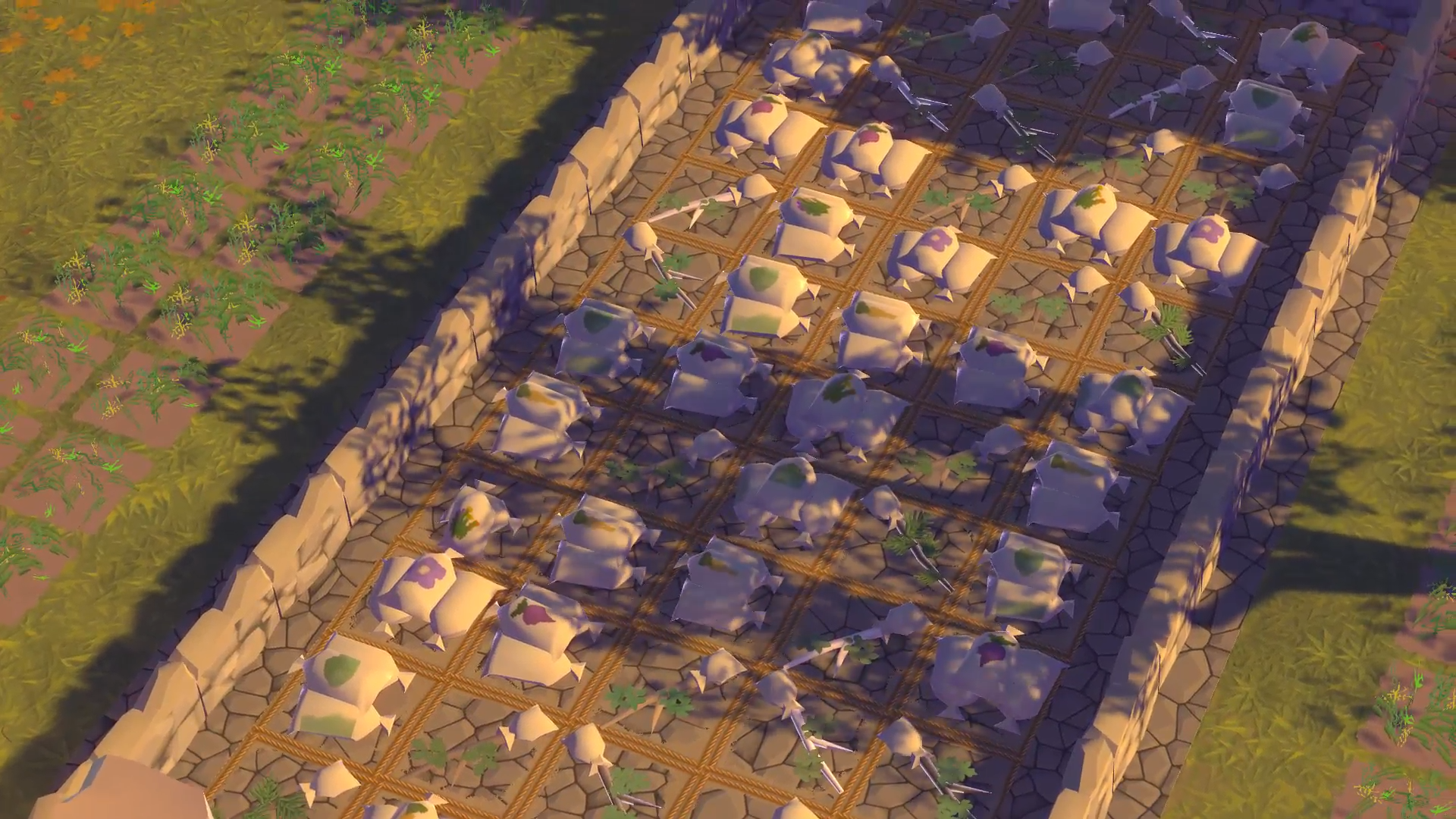
The Faction tab is located within the Historical Records panel in-game. It shows you what alignments you have with other factions and which faction is at war with who. You can change alignment with other factions by trading with them, gifting We have made some major changes to crops. You won’t be able to magically conjure them from thin air anymore and we’ve added a new phase to the life cycle of plants. Saplings are also in the game. Here is how it’s all going to work:
- To sow crops, you will need new resources - seeds and saplings.
- Agriculture now unlocks all crop fields, but they will not appear in the crop field panel unless you have the seed for that crop somewhere on the map.
- One seed/sapling occupies one grid space.
- One settler can carry a maximum of 300 seeds | 30 saplings in their inventory.
- Some crops, like barley and redcurrant, are sown with their produce (one redcurrant, as a resource is used to plant one redcurrant bush).
- All plants drop seeds in their ripe phase, but there are certain plants like cabbages, carrots, and beets, that give more when in flowering and seeding phases.
- Trees drop saplings whenever they are cut, except when in the dead phase.
Crop Blight †

Blight is the new event in the game and will appear during summer and autumn. It will occasionally occur on random sections of the field and will destroy your crops if it isn’t dealt with.
- Blight can affect only flax, barley, cabbage, carrots, and beets.
- When the blight appears, you will want to cut contaminated crops before it’s too late, as it will spread to nearby crops.
- Strategic crop placement will also prevent the blight from spreading - the size of the crop fields, as well as their shapes, play a big role in blight control.
New flora †
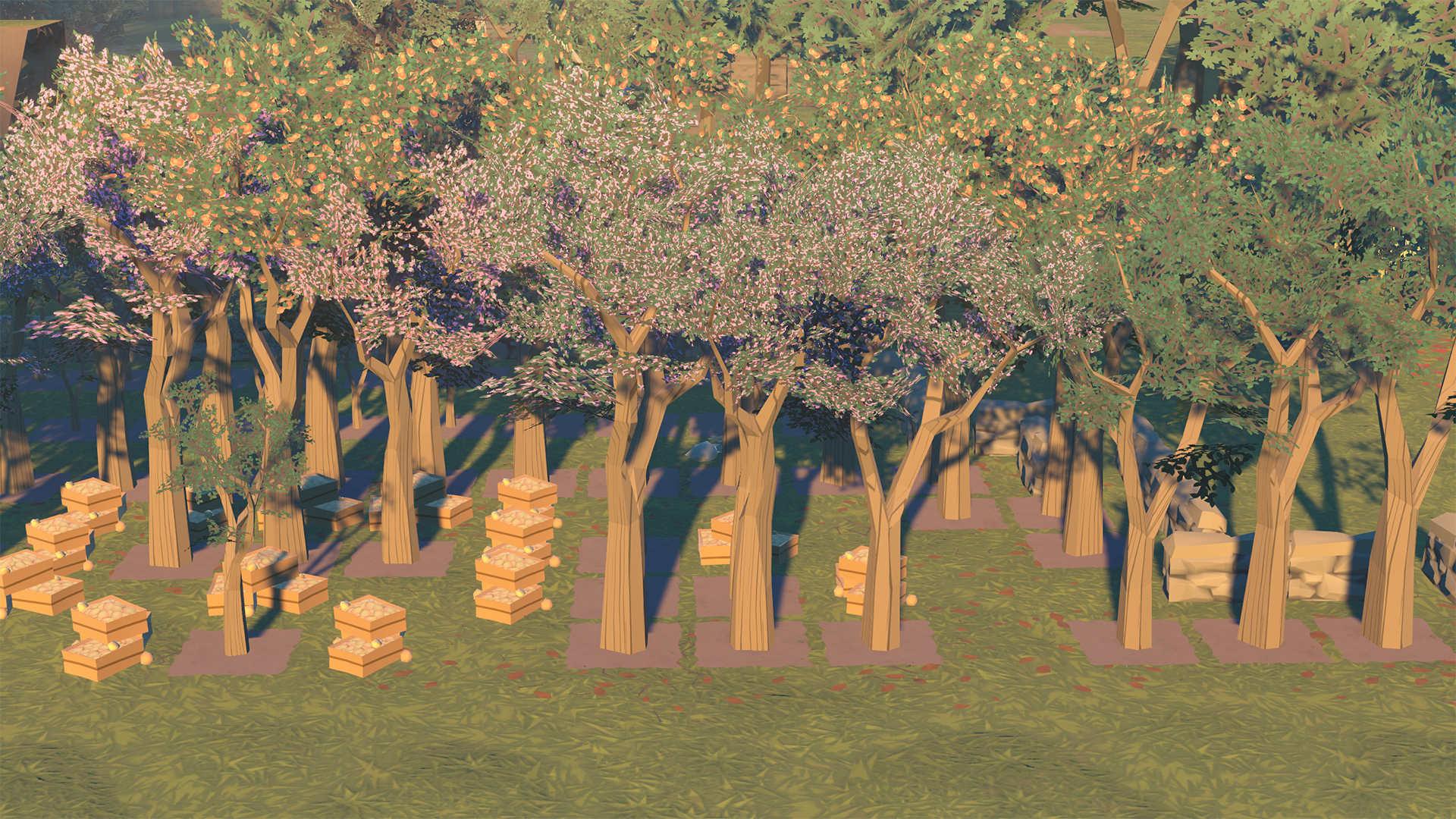
To make things a little easier and interesting, we added some new flora elements.
- Apple trees are added to the game and can be sown with apple saplings. You can't find those saplings in the wild, but they can be bought from merchants or settlements. These trees have several harvest cycles and produce apples, wood, and sticks.
- Wild flax and wild barley are here (or, as we’d say it: growing wild!). Look at them as a starting point from which you will obtain seeds. They look a bit different and give fewer resources than regular flax and barley.
- Even if your scenario starts with zero wild flax and barley, over time they should appear all over the map. The amount will depend on the map type and size.
NOTE: Wild flax and wild barley will not grow on maps from an old save.
New resources †
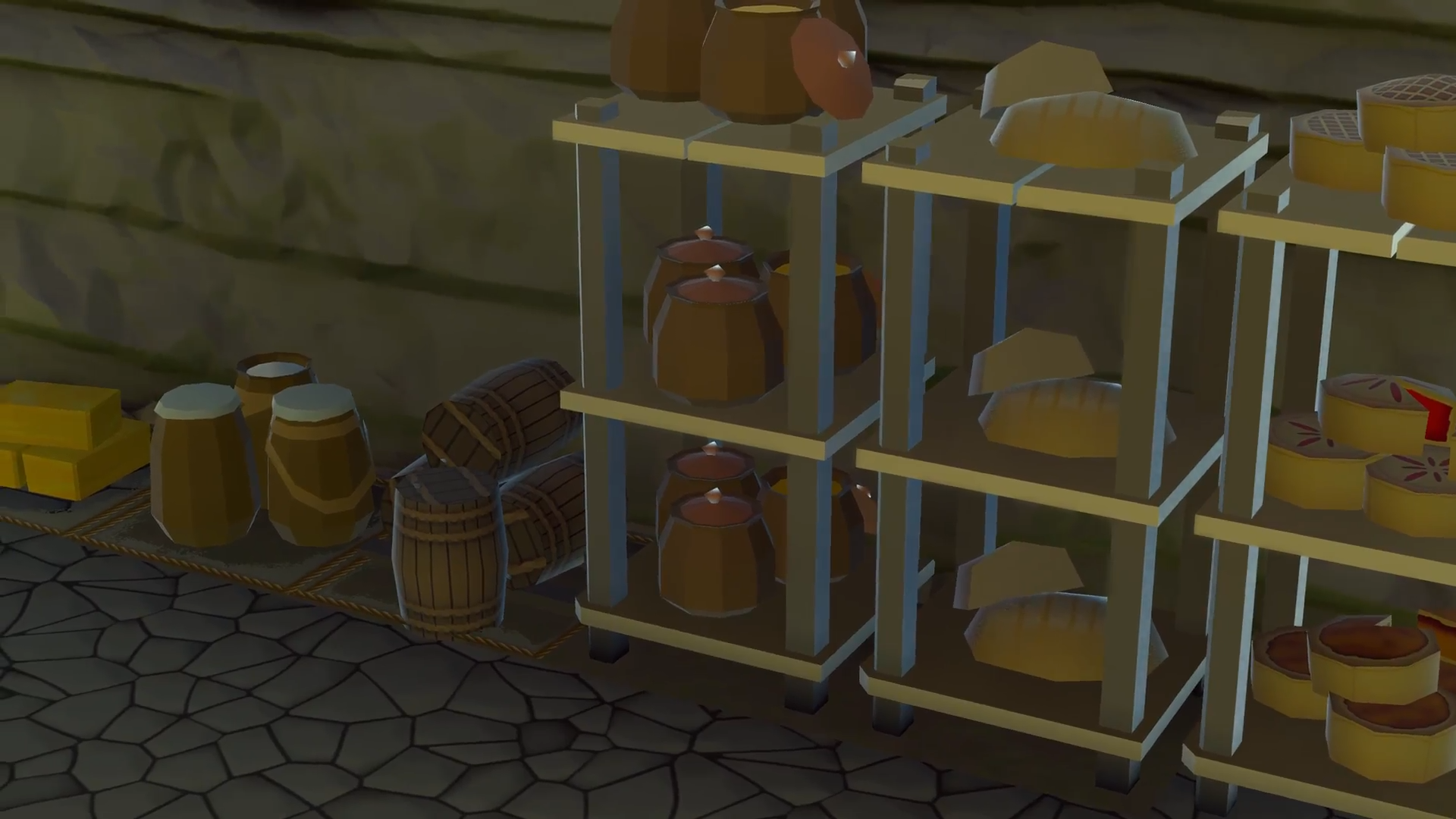
With the latest update, we are bringing some useful new resources that can be utilized across your settlement.
- Bread - produced as a meal if you use barley as a singular cooking resource.
- Apple pie - produced as a meal if you use apples as a singular cooking resource.
- Redcurrant pie - produced as a meal if you use redcurrants as a singular cooking resource.
- Honey crisps - produced as a meal if you use honey as a singular cooking resource.
- Apple cider - produced from using apples in the brewing station.
- Mead - produced from using honey in the brewing station.
- Honey - produced from skeps. It can be eaten raw, used for cooking and used as a basic medkit (like herbs.)
- Wax - produced from skeps. Used to refuel candles.
- Tallow - produced when butchering some animals. Also used as a basic medkit (like herbs). Can also be used to refuel candles.
- Ice blocks - made from ice boxes. They can only be produced if the temperature around them is -1 or less. Ice blocks lower the temperature of the room around them when stored in any room.
- Silver - mined from voxels.
- Silver ingots - made from silver in the smelting station, like other ingots.
NOTE: silver voxels can't be found on old save maps. Only when starting a new game
New equipment †

We’ve added new weapon materials for you and your enemies:
- Silver versions of weapons, armors, and shields are in the game. When it comes to quality for weapons, silver is a bit better than gold, but still worse than iron or steel. Silver items have a greenish tint to them, so they look like rusted silver. It’s a design choice to make them different from gold, iron, and steel.
- Bucklers, kite, and regular shields now have all-metal variations (gold, steel, iron, and silver.)
- Enemies and visitors have some new equipment that you can't create. Things like armor made from bones, animal headpieces, headbands, etc. Nothing stops you from taking those forcefully, though.
New structures †
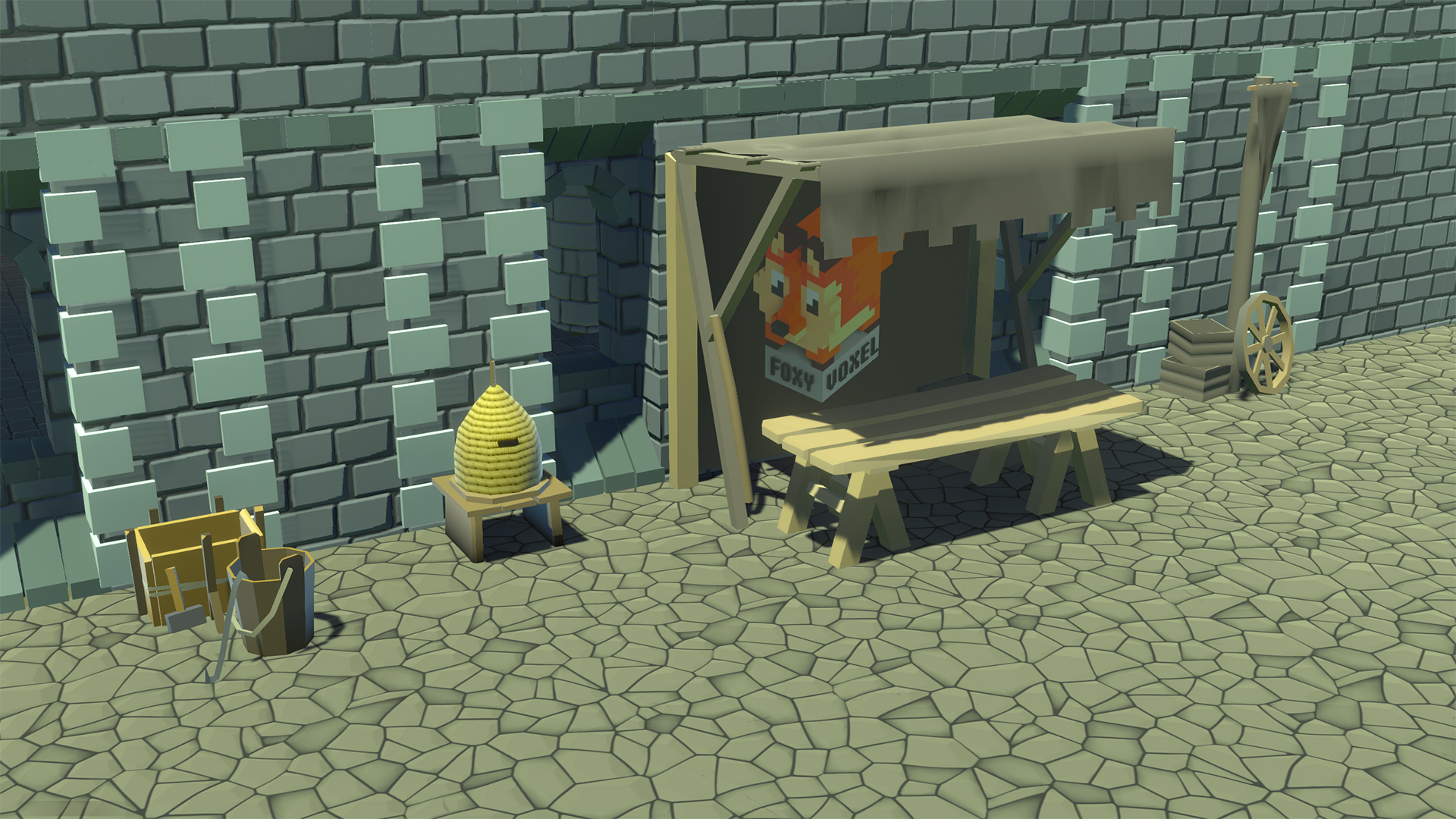
New production buildings, as well the ones that are going to make trading easier, are now in the game.
- Icebox - produces ice blocks. Temperature around the structure influences the speed of production. The production will stop when the temperature becomes higher than -1. The lower the temperature, the faster the production.
- Skep - produces honey and wax. Skeps are also influenced by temperature and will not produce if the temperature is too low.
- Merchants stall - merchants will go to this structure once they appear on your map. Their goods will appear on the stall when they reach it, and you will be able to start the trading process either by the right-clicking merchant or the stall.
- Caravan Halt - settlers will gather at this structure when forming a caravan. Forming caravans also works as before. When settlers return, the resources will spawn around the nearest halt instead of on the edge of the map.
Visual variations to structures †
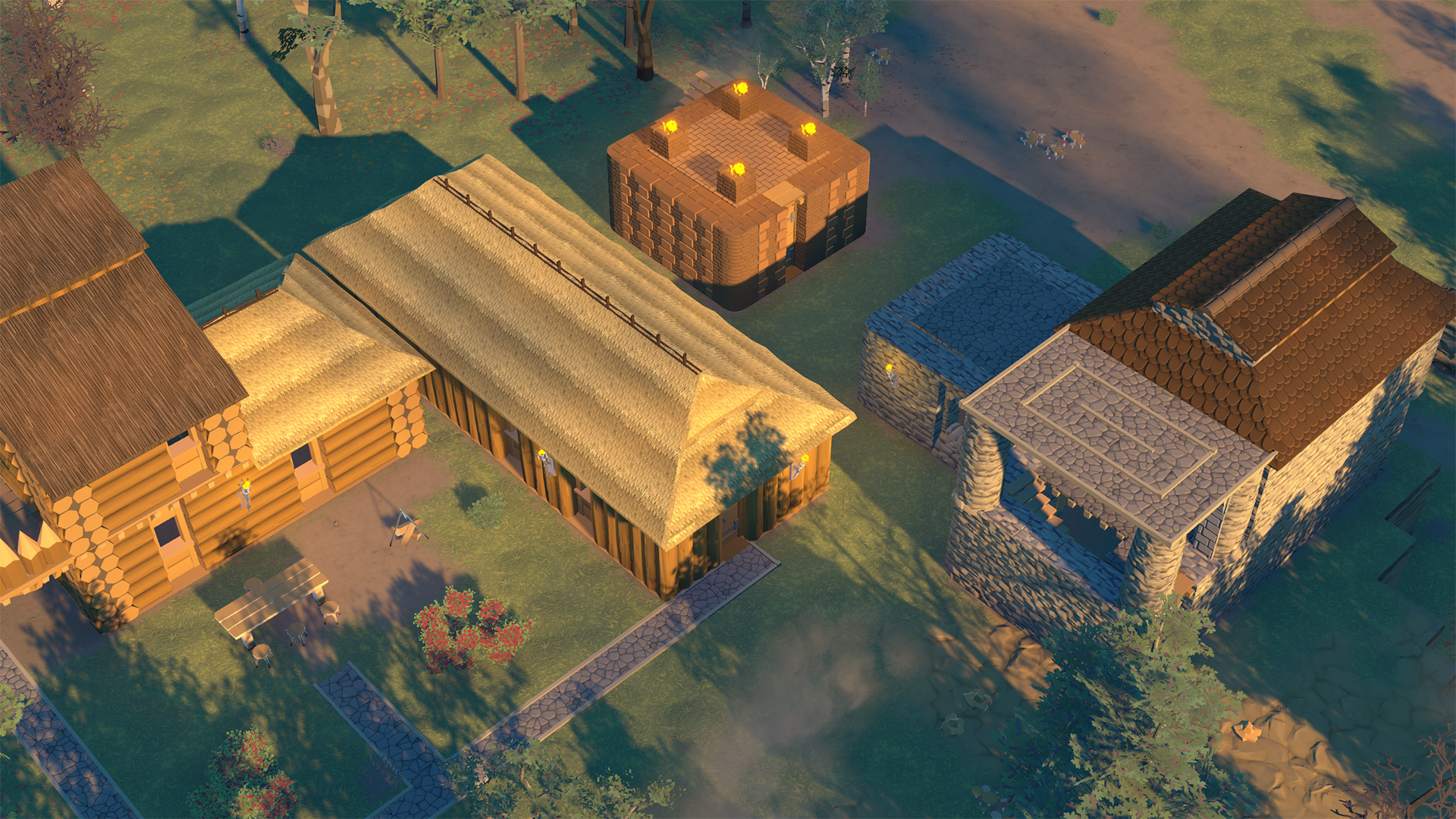
You can now change visual variations to some structures. NOTE: This type of change will have no impact on gameplay. It only impacts the visuals of the game.
- Elements that have variations are: roofs, walls, floors, fences, merlons.
- Beyond shape variations, roofs now have material variations, too. These are strictly visual differences.
- By using a rotation of these variations, only the visual representation will be affected.
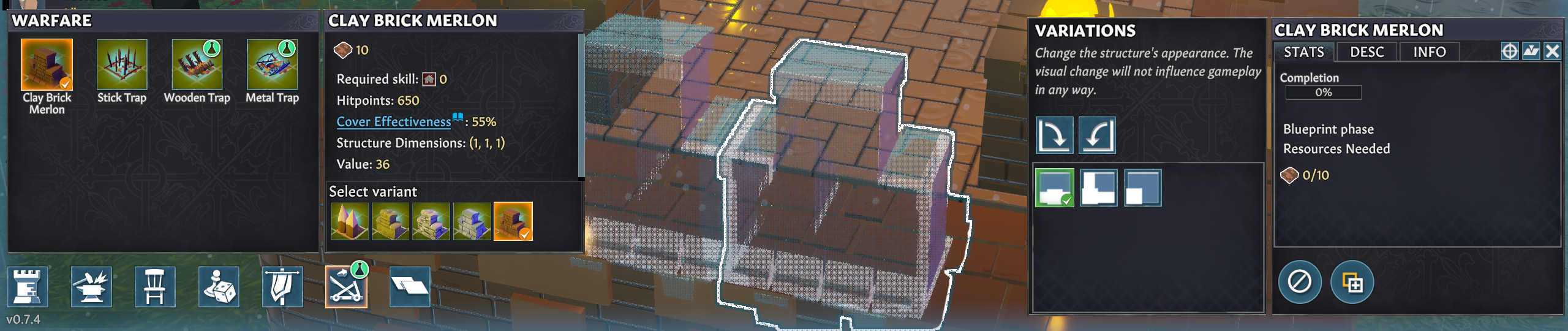
NOTE: Corner merlons and corner fences are included as variations of merlons/fences now. This move creates empty spots in the places you used previous corners.
Research panel changes †
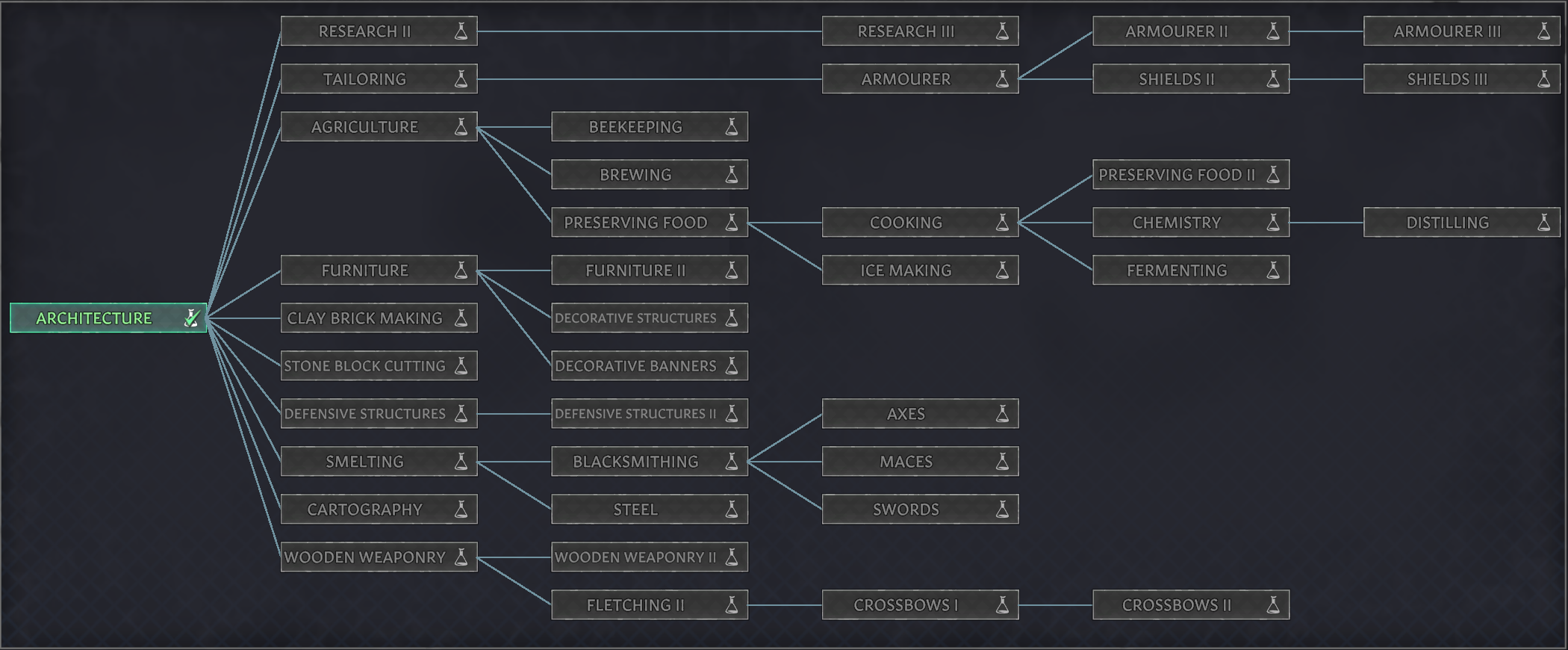
The research panel had to be reorganized a bit due to the integration of the elements mentioned above.
- Beekeeping and Ice Making research nodes are now in the research panel - unlocking these nodes will allow you to build Skeps and Ice Boxes.
- The research panel received a bit of visual rearrangement due to the integration of these elements.
New harvesting control and behavior †
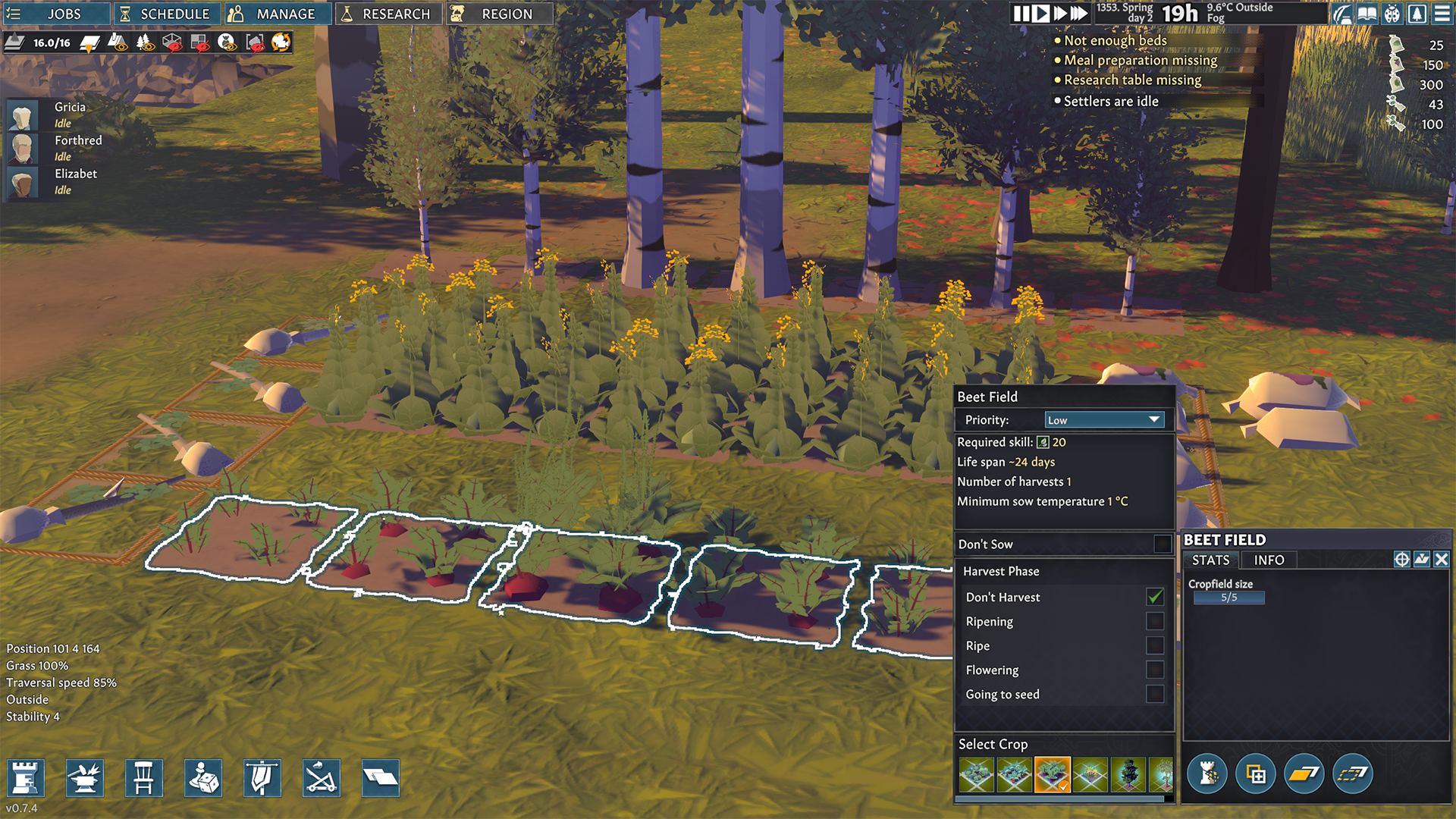
Crop fields have an additional panel next to the selection panel now. Within that panel there are a couple of options that you can select:
- Crop field priority - You can change the priority of crop fields, just like you do with stockpiles. All crop fields with the same priority will be treated the same as before (the closest one has the highest priority). Priority influences sowing, cutting, and harvesting.
- Don’t Sow - Settlers will still harvest the existing crops on the field but will not sow another round while this box is checked.
- Harvest Phase - You can now choose in which phase a crop gets harvested. The phases you can choose are only phases where a harvestable resource is present (note that barley plants only have one harvest phase.)
- Cutting Phase - This option appears when you select tree crops. Some trees, like apple trees, have both cutting and harvesting phases within this panel.
- Changing crops - You can change the type of crops that are sown on the selected field. Changing a crop type will order the crops on that field to be cut down so the new ones can be sown.
Other notable changes in this area:
- Plants now die if they are under a roof. A message will appear in a plant’s selection screen when this happens. If you place crop fields under the roof, it will not trigger settlers to sow there
- Resource amount dropped after harvesting/cutting is now multiplied by the percentage of HP the plant has. For example: if the hailstorm, frost, or blight hurts the plants, they will give fewer resources because of it.
Fuel system †
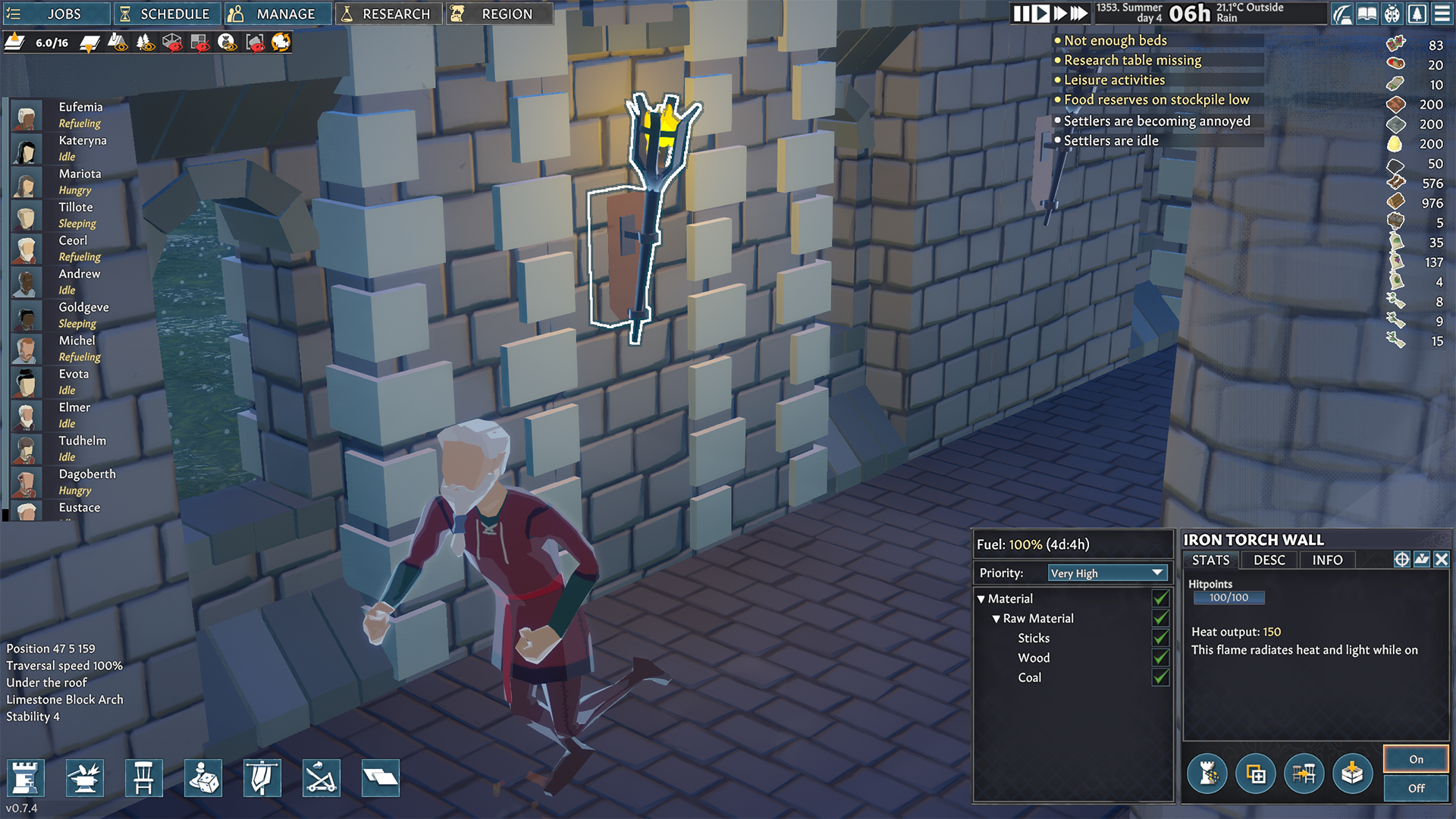
Light and heat sources now require refueling in order to emit heat/light. Once these buildings are out of fuel, settlers will need to use one of the fuel types to refill them.
- Structures like braziers, torches, and candles need refueling to emit heat.
- Each structure can have a different kind of fuel. Torches and braziers use coal, wood, and sticks, while candles use tallow and wax.
- Each fuel resource has an assigned fuel strength, meaning they will not offer the same fuel amount. More tallow is needed than wax to refuel a candle. You will also need more sticks than coal or wood.
- Settlers that have the Steward job turned on will do the refueling.
- Once refueled, those buildings can be turned on/off without settlers.
NOTE: The fuel system is used on furniture that gives heat (braziers, candelabra, torches). We are not using them on production buildings (even though they give off heat as well).
New modifiers for settlers †
Settlers now have different modifiers as they age (some of the attributes are different if they are young, adult, middle-aged, or senior). These modifiers are also affected by the settler's height and weight.
- Settlers gain random perks (sometimes) when they have a birthday. The perk is given in the same rule set as randomizing a settler when creating them.
- Some perks (for now only the cannibal perk) can’t be received with birthdays.
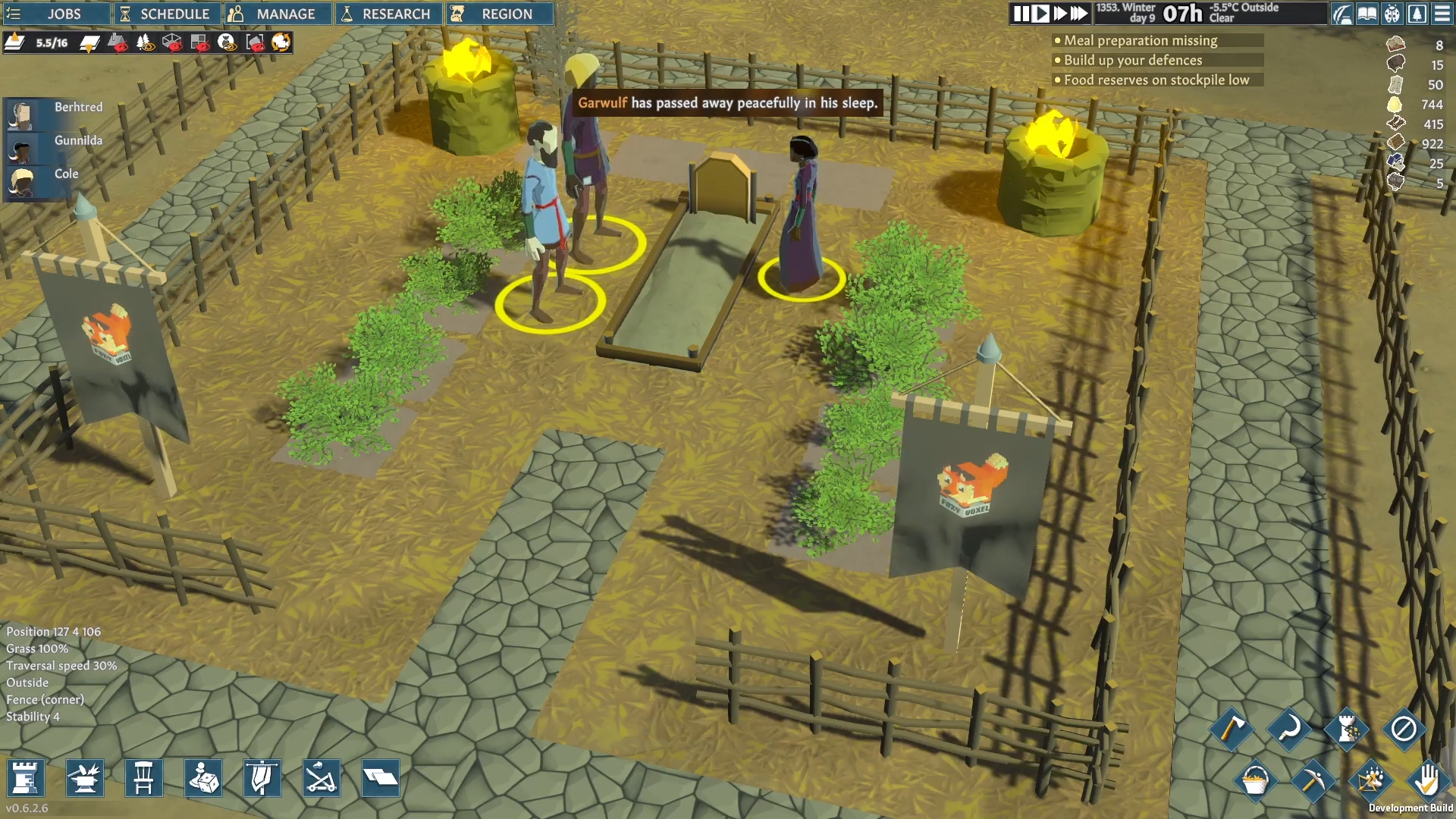
- Settlers can now die of old age. Every time it’s time for them to wake up (if they are older than 65 and after at least 3h of sleep) there is a chance they will die. As they grow, their chances of dying will increase. If you really want to see the odds and edit them, you can do so within the WorkerBase.json file.
The rebellious state and merry modifiers have been changed.
- Rebellious - Before, when a settler’s mood would drop under a certain threshold, the settler would become rebellious. Now, when the mood drops under a certain threshold, there is a 50% chance the settler will become rebellious, with each negative mood -modifier that happens. There is a cooldown where the settler can't become rebellious sometime after being rebellious.
- Merry - Before, while a settler’s mood was over 80%, the settlers were merry by default. Now, when the mood is over 80% settlers have a 50% chance of getting the merry effector, with every good mood modifier that triggers.
Settlers are dreaming.
- Settlers can now have good or bad dreams. (there is also a chance they do not dream.)
- Settlers that have some perks, like glutinous, cannibal, and bloodlust can also have different dreams.
- Settlers with the bloodlust perk now get a mood modifier when killing someone.
Enemies †

Enemies now have new equipment that relates to the factions they are tied to - this is an aesthetic choice as we think it adds a bit more personality to the factions.
- Shields and plate armors now have heraldry on them. They will have the enemy heraldry while the enemy has them equipped and the player’s heraldry while the player has them equipped.
- Factions now have a percentage of female visitors and/or enemies.
- Music:
New songs, yay!
- Added two music tracks and changed music playlist logic.
- Other notable introductions and improvements
- The Animal Husbandry job type has been added to the JOBS panel. At the moment, it is only used for beekeeping.
- The camera will not move to the merchant location once the event appears in the game.
- Clay brick and Limestone Brick arches are in the game, due to the popular demand
- The Bartering and Caravan screen has sorting arrows now - you can sort items by alphabetical placement, value, amount, etc.
- Non-tradable items will be always at the bottom of the screen by default.
- We’ve introduced daily maximum attainable level experience for a skill per settler. On a daily basis, settlers will be able to earn 1600XP for one skill. If that number is passed, the settler will earn 10% of the XP for that skill (meaning, if they earned 50XP for cutting trees, now they’ll earn 5XP). When the day starts anew, XP that was 1600/1600 will return to 0/1600. The cap limit is influenced by various factors, so settlers will differentiate among themselves. We also introduced skill decay - once a settler reaches level 5 with a skill, XP for those will start to decay. Decay will be slower but over time, as settlers age, decay numbers will increase. Decay will not affect their current skill level - skill level cannot decay under the last level gained.
- A new tooltip system has been implemented. Tooltips should no longer stay active on the screen and appear dubbed from time to time. Tooltips will now follow the mouse cursor in order to look a bit more fluid.
- World layer level is now written in the save data - upon loading, the game will remember the layer on which you were on.
- Bugs & Fixes
We have also fixed a bunch of things:
- Fixed the issue that caused roof textures to flicker and overlap when different combinations are made (next to one another) and the camera is rotated.
- Fixed the issue where settlers would get multiple birthdays in some cases.
- Fixed the issue where surrounding textures can be seen through the Kiln texture.
- Fixed the issue where "Some custom images have been deleted, “Your heraldry design might lack the custom image used." message would appear in the Heraldry edit menu.
- Fixed the issue where some perks were addable to the body types that didn’t make sense.
- Fixed the issue where the shadow texture of tools and weapons did not display properly.
- Fixed the issue where merchants’ storage capacity is sometimes out of proportion without trading/gifting anything, and the "Accept" button is greyed out.
- Fixed various tooltip issues.
- Fixed various text issues.
- Fixed issue where editing resources in the production building would edit resources in the next building you select.
- Holding down CTRL for layer jumping will no longer deselect what you have selected.
- Holding down CTRL for layer jumping will no longer place buildings in construction mode.
- Adjustments are made for the click-through system (clicking on the same thing to select the object behind it). Click through issues have been fixed (in certain situations the player would select a floor element instead of a settler)
- Fixed issue of production being paused resuming after lading that session.
Pathc Notes 0.6.2.6 †
2021年11月8日
- Bugs and Fixes
- Fixed the crash caused by using the relocate function for some construction - if the player would place a blueprint on a voxel, then cancel it, then repeat the process on the same voxel two more times, after the third time - it would result in a crash.
- Fixed the progress blocker caused by pausing the game at the same time the Autosave feature triggers.
- Fixed the issue when using multi selection (via double click) on walls OR windows, both would be selected in this process. Now, a multi selection of walls will select only walls separately like when doors are being multi selected. Windows selection works the same way.
- Fixed the issue where settlers that are sent in a Caravan would appear as "Settler Died" events in the Historical Records menu.
- Fixed the issue that caused traded Items and resources, or ones given as gifts, to still be displayed in the Caravan Info Tab.
- Fixed the issue that caused the roof to collapse if the construction of the door was started in a room next to a wall. Player would cancel construction of the door and, with that action, cause the roof above the door to collapse.
- Fixed the issue that would cause resources/items to decay from weather events even though there was a roof above them. The roof would not properly register sometimes, if created during the weather event.
- Fixed the issue that caused the counter in the Research Menu to corrupt when selling/gifting allocated Books.
- Fixed the issue where players were not able to get a Retribution achievement
- Fixed the issue where the Room types could be created using the Structure Pile variant of the required structures.
- Fixed the issue that caused stored items in storage structures (chest, racks) to disappear after the voxels under those structures have been mined.
- Fixed the issue that caused the blueprint to cancel itself when the blueprint beneath it was finally constructed.
- Fixed various issues related to missing text.
- Quality of life improvements
- Leaf particles have been added to trees. (This can be turned off in options menu, within ‘Graphics’)
- Added particles for when a production is finished.
- Weight cap has been added to traders - trading can’t continue if the merchant can't carry any more resources (players can't gift 100k limestone to a visitor anymore. Yeah. Sorry ).
- Settlements have a slightly different stock if they are mountain or valley settlements (wood and stone/gold/iron have different price modifiers and amounts).
- Locking a merchant now makes the faction lose alignment (-5/h), also a note will appear when a merchant wants to leave, but is locked in.
- Keybindings for panels (4,5,6) work on the world map now.
Pathc Notes 0.6.2.5 †
2021年11月1日
- Bugs and Fixes
- Fixed several rare crash occurrences.
- Fixed the issue where graves could be built on top of floor tiles if the blueprint was placed over a Stockpile that's located over the Floor.
- Fixed the issue where copying the settings for the allowed resources from a Chest, Rack, Shelf or Stockpile and pasting them in the same structure made the checkboxes to appear as unmarked.
- Fixed the issue where the text boxes were not reverting to the default values when higher/lower values are entered more than once in the Transform tab from the Edit Heraldry menu.
- Fixed the issue where modifying a settler's name in the Settlers Selection screen had no impact outside of the profile tab.
- Fixed various issues related to the UI of the Settlers Selection screen.
- Fixed the issue that caused the Alignment status of Permanently Hostile Factions to be modified by returning settlers during Runaway events.
- Fixed the issue that caused Heraldry to disappear from the Pause Menu and Summary Screen.
- Fixed the issue that caused the "Send Caravan" button to not become greyed out once a Caravan has been designated to go to the settlement.
- Fixed the issue that caused the Crop Field to appear as floating over the ground if the player would place crops on one location, and then mine those same voxels.
- Fixed the issue that caused the Order buttons to lose functionality if the Info Tab of any item/resource/structure was opened prior to entering the Region Map.
- Fixed the issue that caused cancelling the Relocate order when settlers are working on the initial structure to not work as intended.
- Fixed the issue that caused facial hair of loaded settlers' presets to not appear as previously saved.
- Fixed the issue that would block the floor from being constructed beneath the trap, if the trap was built first.
- Fixed text formatting in the caravan trading screen.
- Known Issues
- We are aware of these issues and you don't need to report them:
- Resources counter displays wrong numbers in some situations after gifting/trading with the merchant.
- Animations tend to freeze in some scenarios.
Pathc Notes 0.6.2.4 †
2021年10月20日
- Bugs and Fixes
- Fixed several rare crash occurrences.
- Fixed the issue that caused settlers to go to sleep on the ground even though there are available beds in the settlement. This was caused by merchant appearing and idling.
- Fixed the issue that caused settlers not to eat nor drink at the table if the merchant was near.
- Fixed the issue that caused bartering tutorial to appear behind the bartering panel.
- Fixed the issue that caused “Next” button usable even though limit for Group Creation Points was surpassed.
- Fixed the issue where settlers would be stuck in the loop loop of moving resources in and around the storage areas.
- Fixed the issue where "You have unlocked the Research Panel" notification would appear every time if the research table was relocated.
- Fixed the issue where player could enter any letter/symbol in advanced Settler customization.
- Fixed rare issue where merchant would stay on the map forever after loading - Merchants and guards now forcefully leave the map if the game is loaded and no merchant event is active.
- Enemy’s village will be placed minimum 6 tiles from the player’s settlement, this will not affect the existing saves.
- Settlement stock will not refresh every time player access it.
Pathc Notes 0.6.2 †
2021年10月19日
Update #2 | Merchants & Diplomacy †
The new major update titled “Merchants & Diplomacy” is now live on Steam, Epic Games Store, and GOG. All those fixes and improvements from the experimental branch are now stable, tested, and present in this update! These include advanced options when it comes to starting settlers’ customization, the option to relocate buildings, our new trading and faction systems and various other tweaks and improvements. Read about all the exciting new changes, here!
Faction System †
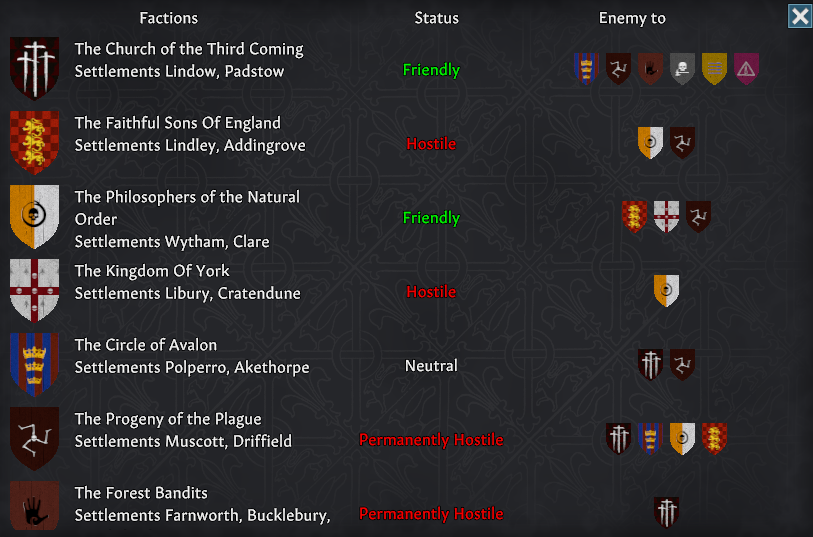
The Faction tab is located within the Historical Records panel in-game. It shows you what alignments you have with other factions and which faction is at war with who. You can change alignment with other factions by trading with them, gifting them things during trading/caravan gameplay, attacking traders, returning runaways or refusing to do so (more info in the event segment!).
New Region Map †
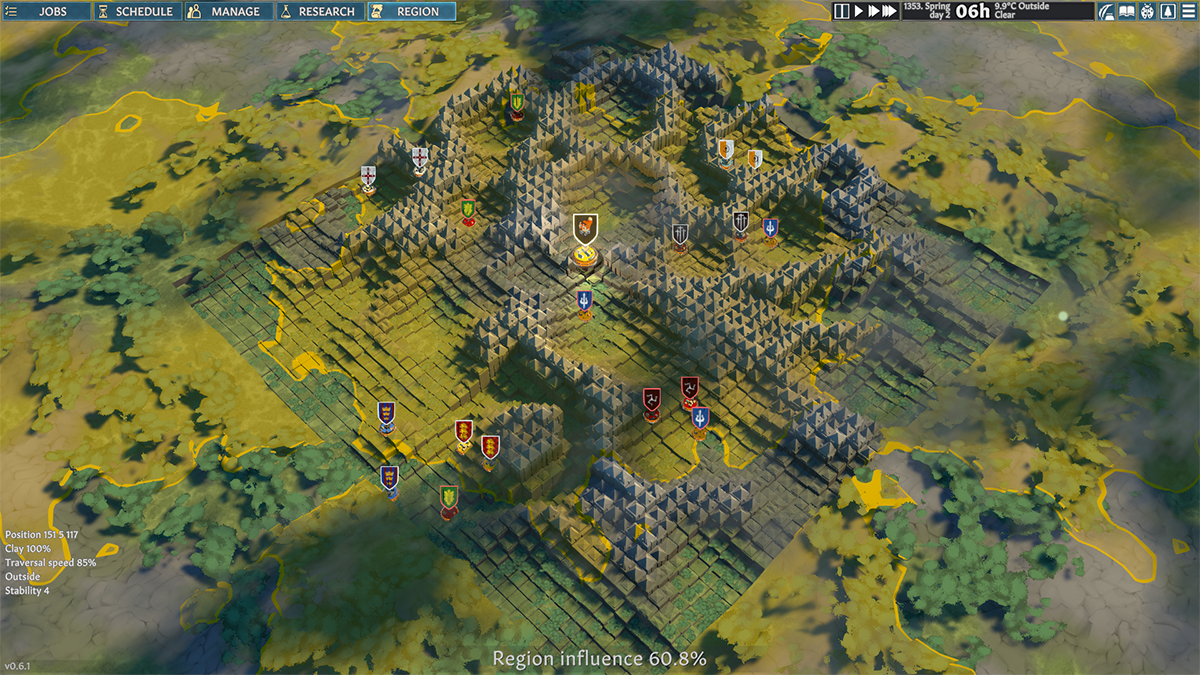
To unlock the Region map, you will have to research “Cartography” in the Research tab. Once you do that, you’ll be able to build a new furniture type - the Cartography Table which will, in turn, give you access to the Region tab. You can now select other settlements on the region map and see their basic information, as well as send caravans to them.
Bartering †
Merchants, as an event, will arrive at the player’s base over time. You can start the bartering process by selecting one of your settlers and right-clicking the trader NPC. Only resources on stockpiles/shelves will be available for trading from the player’s side.
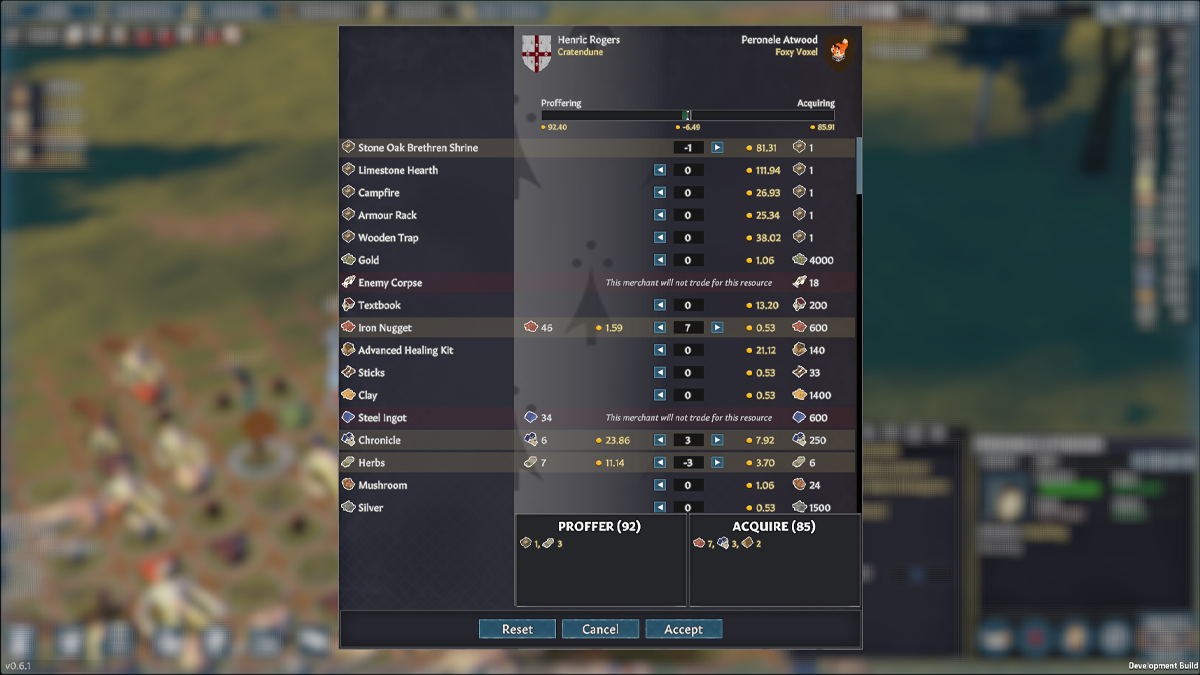
Trading is based on the value system of resources/equipment and the value of each resource differs depending on time of year, merchant, if the player is giving or taking, etc.
You can attack merchants and lose alignment points with the trader’s faction, but be careful - they will usually come with bodyguards. If the merchant turns hostile, both the trader and their bodyguards will act like raiders.
Merchants will not trade weapons/armors/shields if they have neutral alignment with you, and certain traders (like weapon merchants and large goods merchants) will not appear if the player has no friendly factions on their region map.
Caravan System †
Right now, the caravan system is only utilized for trading and gifting purposes. Attacking other settlements via caravans is not currently in the game, but will be supported over the course of the development.
You can now send caravans by selecting other settlements in the region map and choosing the ‘send caravan’ option. However, for that to work, you will have to choose which settlers to send and what goods to send with them.
The caravan won't start if there are no settlers chosen, the mass is too great or there is not enough nutrition for the trip to and from the destination settlement.
Sending a caravan will give you the ability to trade with the settlement when the caravan arrives at the destination.
Bartering with settlements is the same as regular trading, except that the prices are in favor of the player and not the faction.
Caravans can’t return home if the player has bought more mass than can be carried or if the amount of nutrition is not met for the way back.
Relocate Structures - [Community Request] †
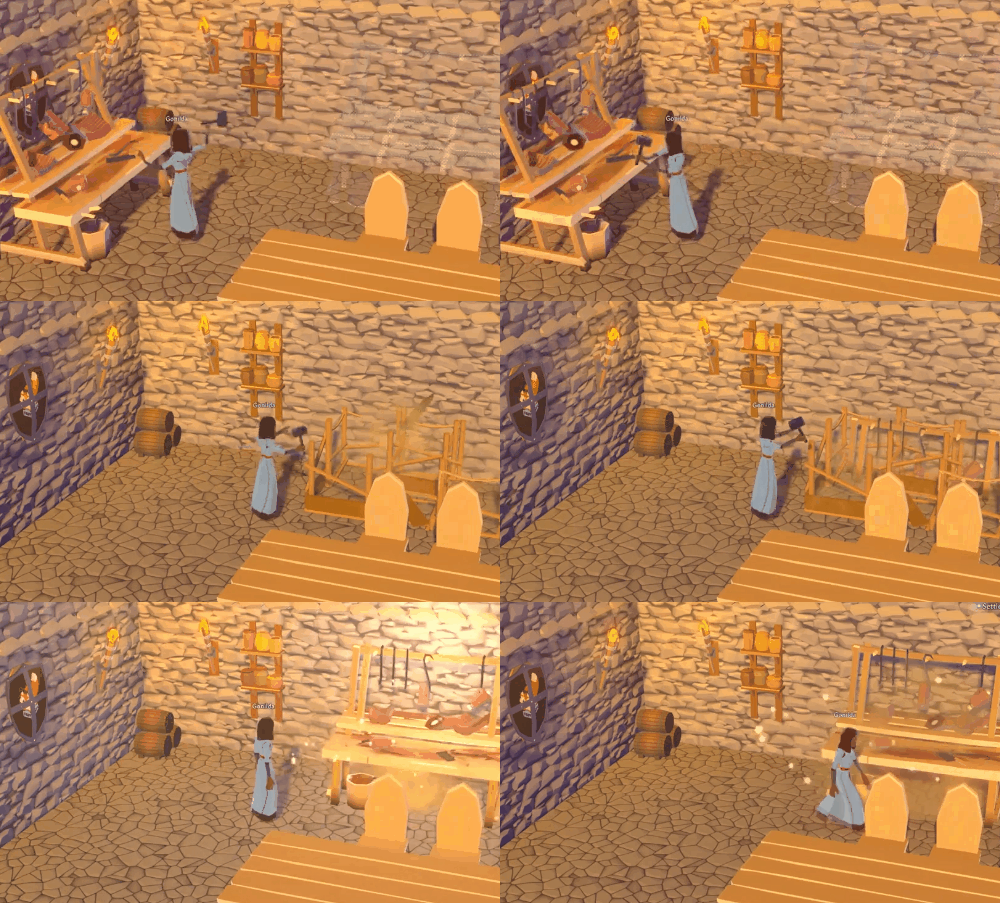
We’ve also implemented a feature where you can turn almost any production building/furniture/decoration/trap into a pile allowing for the relocation of a structure. Once turned into a pile, it can be moved onto stockpiles or be installed anywhere else (if there is space for it!)
Installing and reinstalling a structure takes ⅓ of the time it takes to build it, but this process doesn’t have a minimum level requirement, nor does it give XP to settlers. It’s also worth mentioning that you will be able to buy some structures (as piles) from merchants, even though they’ve not been previously researched.
Event System Overhaul †
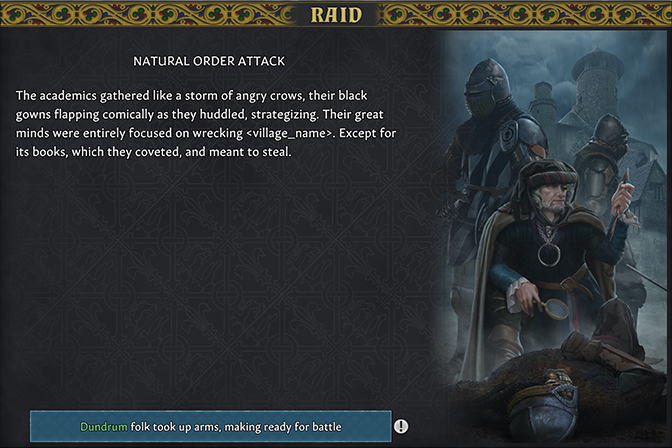
To adapt to newly introduced trading and faction systems, we decided to do some tweaks to events. Beyond introducing new trader events, we’ve overhauled how existing raid events work. Before there were 3x different raid events for 3x different factions in the game. Now there is only one raid event and the faction is chosen randomly from hostile factions.
Dev note: If you load the save that is currently experiencing a raid in the 0.5.31.15 version of the game, that raid will disappear. All the raids that come after that one should work properly.
The Runaway event has a slightly different outcome now. Refusing to give the settler back will not necessarily initiate a raid, but it will set -50 to the alignment with the faction that is looking for the runaway. This can result in the faction potentially turning neutral from friendly or hostile from neutral.
Character Creation †
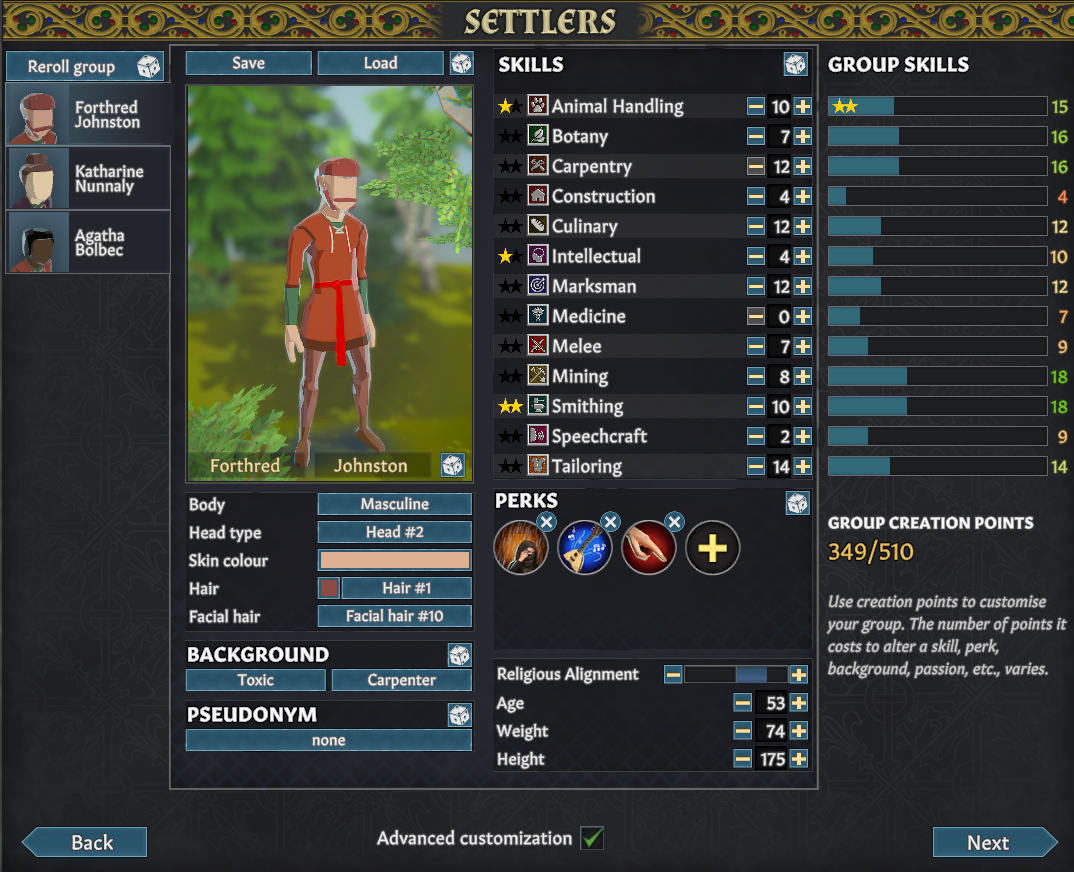
We’ve enabled the option to customize starting settlers if you choose to do so - by selecting the Advanced Customization option, the settlers screen will expand and you will be able to choose things like their looks, backgrounds, pseudonyms, religious alignments, ages, weights, heights, what perks they have and what skills they excel at.
There are some limitations to the creation points used to “build” your settler - they are not infinite. They are randomly distributed to every settler and the players can change where they want those points to go. The number of points it costs to alter a skill, perk, background, passion, etc., varies.
You are able to save your settlers as presets, so you can use them in other scenarios.
- Additional fixes/features
- Certain crop fields now have a minimum botanical skill in order to be sown.
- Trap prices and damage have been changed - they are a bit expensive to make now and need a higher minimum skill.
- 14 new heraldry symbols added to the heraldry editor.
- Level up particle effect added when settlers gain a level.
- All dust effects are replaced with a new dust shader.
- Added particle effect when production buildings are complete.
- Added dust effect when a pile spawns on the ground.
- Added dust effect when settlers run.
- Changed the way layer transparency works (the annoying transparent 0.5 layer has been removed).
- Perks have been tweaked in terms of balance and conflict with others perks.
- Added tooltip information for perks if they conflict with some other perks.
- Fixed issue with loading screen not showing text properly in non-English languages.
- Fixed several Community-noted translation issues.
Pathc Notes 0.5.31.15 †
2021年9月6日
- Bugs and Fixes
- Fixed crash caused by placing traps under the stairs.
- Fixed issue that caused the game to freeze upon large-scale enemy encounters.
Pathc Notes 0.5.31.13 †
2021年8月25日
- Bugs and Fixes
- Fixed several rare crash occurrences.
- Production buildings are no longer selectable through walls.
- Fixed the issue that caused convalescing settlers to teleport all around the map.
- Fixed the issue that caused settlers to do Steward jobs even if that job was disabled.
- Fixed the issue that caused enemies from the Third Coming Attack raid to spawn and remain idle, even though there is a clear path to the settlement.
- Fixed the issue that caused forbidden icons to overlap with some objects and resource piles.
- Fixed the issue that caused decomposing info for a resource to disappear if the object they’ve been stored in has been deconstructed.
- Fixed the issue that caused settlers’ behavior to corrupt if they get unconscious by the heatwave event - the prioritizing wounds would have no functionality, they would start losing HP due to starving as they don't recover or wake up unless drafted and undrafted, and their walking animation would get corrupted multiple times and they would appear as idle/drafted, standing still in one position for a few seconds. Weird stuff, thankfully, now solved.
- Fixed the issue that caused some of the raiders to become idle if there are more than 10 spawned by the event
- Fixed the issue that caused settlers to flee even if the enemies (raiders/wolves are not in the line of sight)
- Fixed the issue that caused the selection box to remain on the screen despite the player’s input.
- Fixed the issue that caused the relocation process of the items to get corrupt if the player would modify the quality of items that the storing object accepted. This would result in a situation that the items in the storing objects would not be movable until the storing object was deconstructed.
- Fixed the issue that caused heraldry design to appear black/corrupted.
- Fixed the issue that caused settlers to ignore resources located on the stockpile for crafting purposes.
- F-ixed the issue that caused items stored on Armour Racks/Shelves to remain visible if the layer is lowered immediately after settlers placed them on the storage structures.
- Fixed the issue that caused deconstructed merlon to leave a walkable path if those merlons have been created above the ground. This would result in invisible paths.
- Fixed the issue that caused raiders to ignore settlers that were sleeping on the Wooden Hay Bed above the ground level during the raid attack.
- Fixed the issue where upon loading an older save and settlers going to sleep and waking up, their behavior would bug out, usually resulting in them being stuck in one place.
Pathc Notes 0.5.31.9 †
2021年8月16日
The new hotfix (0.5.31.9) is now live (on the experimental and the main branch). Please save your progress and restart your game client to update. You should be able to load normally and continue playing. If you have any problems, please let us know.
- Bugs and Fixes
- Fixed several rare crash occurrences
- Fixed issue with some heraldry symbols not having opacity on heraldry preview in the main menu
Pathc Notes 0.5.31.8 †
2021年8月9日
Update #1 | Shelves & Racks †
Update 0.5.31.8 is now live on Steam, Epic Game Store, and GOG. All those fixes and improvements from the experimental branch are now stable, tested, and present in this update. You can now choose different map sizes, build shacks, racks, and candelabras. Resource piles and stockpiles received a major overhaul, floor temperature has been tweaked! Read about all the exciting new changes here!
Shelves and racks are here! - [Community request] †
We actually didn’t plan for this update to come so soon, but after seeing how many of you expressed interest in additional storage options, we simply had to do it.
If you unlock “Preserving Food” in the research tab, you’ll be able to build shelves.

Bookshelf - can store up to 4 piles of books (Chronicles, Textbooks, and Thesis).
Wall Bookshelf - the same function as a regular bookshelf, but these can store 3 piles of books and are attached to walls. Note: Wall bookshelves from older saves will work properly, but they will just appear as “empty”.
Weapon Rack - up to 3 different weapons/shields can be stacked on this rack.
If you go deeper into the research tab, you’ll be able to unlock “Furniture II”. This will unlock things like armor racks and chests.

Armor Rack - can store armor and/or apparel. Choose wisely, since it can store only one head dedicated and one body dedicated item
Chest - can store up to 2 items (from the clothing/hats, armor, and/or weapons category)
Settlers will prioritize resources from shelves when using them for production.
Dev tip: All shelves can be edited in json files, so those players that want to play around with them are free to do so. The type of storage is defined in the Furniture.json, and the content and number of piles is defined in the UniversalStorage.json
Now that we’ve covered shelves and racks - let’s talk about other stockpile updates.
Stockpile Priority †
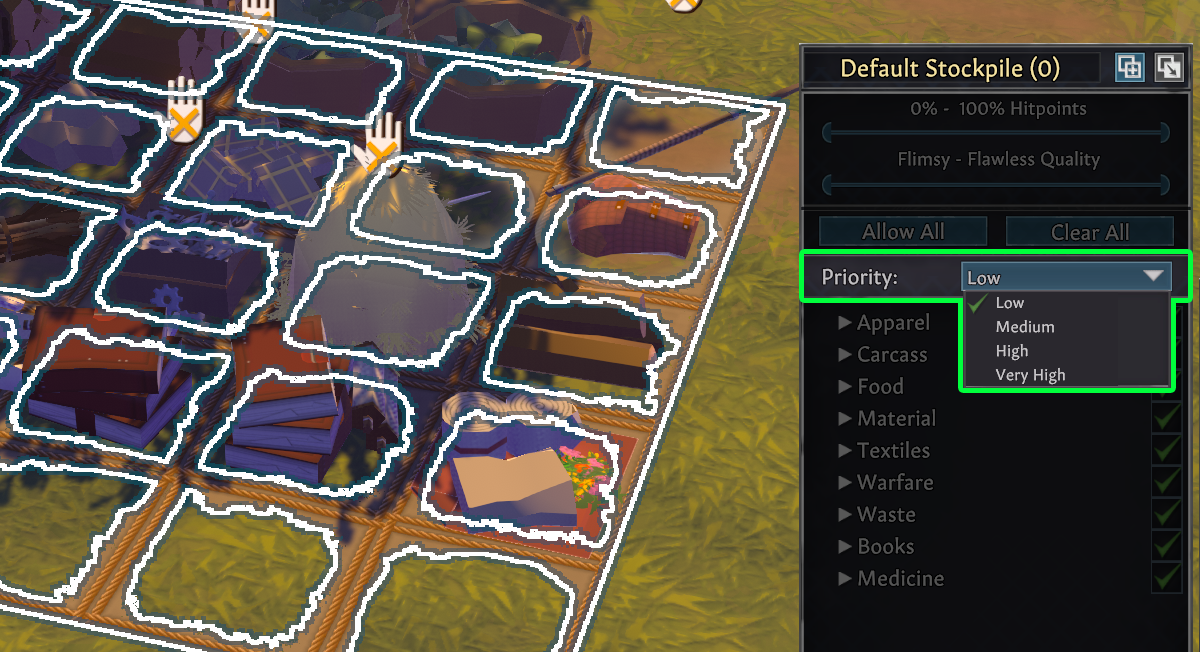
We added a drop-down menu on stockpiles and shelves. Settlers will always haul resources to the stockpile with the highest priority (this will not change the hauling priority, just the choice of stockpiles) - meaning, settlers will always choose higher priority stockpiles first. Additionally, settlers will move resources from lower to higher priority storages - this also applies to shelves and racks. So, if a rack is set to very high priority, settlers will constantly try to keep that rack stacked.
Copy stockpile settings †

Copying a stockpile with the copy button (like any other building) will now copy the stockpile settings as well. There are two new buttons (copy and paste settings) for the player to be able to copy the stockpile settings to other stockpiles. You will also be able to copy stockpile settings onto the shelves and racks. However - their limitations will automatically dismiss piles that they can’t support (example: you’ll not be able to copy meat from the stockpile, onto the bookshelf, because the bookshelf doesn’t support meat).
Map sizes †

Larger maps are in, but we opted out of adding the large map from the previous experimental branch version (the 320x320 one - however, if you feel brave enough, by now you probably know how to edit map size in the json file). We chose to set up the maps as follows:
- 190x190 (formerly default) Small
- 220 x220 Medium
- 250x250 Large
The reasoning behind this is that our settlers are not designed to operate in large areas. Sending them to one end of the map will make them starve while they come back to the food source, etc. This can also happen on other map sizes in some cases but not very likely. This might change in the future and we might start supporting even larger maps officially, but that would require some deeper changes in settler behavior logic.
Trebuchets received some balancing †

We’ve made several changes to the trebuchets to make them more interesting, but still - make them a bit threatening (note that trebuchets from the old saves that already spawned on the map, will not be affected by these changes):
- Now, trebuchet projectiles will not pass through walls. If the projectile destroys the obstacle on the way (like a floor or something weak), it will pass through (but will cause much less damage afterwards)
- Trebuchets target random structures around the map. Before, they would target one point on the map and continue firing on that dot.
- Trebuchets now have a 12m impact radius represented by a red circle so they are not very precise anymore so the projectile can land at any point inside this radius.
- The firing rate has been slowed down
- Enemies will deplete their ammo and then step out of trebuchets to join the fight.
- We’ve also fixed the issue where trebuchets would not disappear after the raid if the player saves/loads
Resource pile optimization †
Many of you reported an FPS drain mid to late game. It took us some time to investigate this, and we discovered that part of the FPS drain was caused by resource piles. Not “present” piles in the game, but rather, how the game handles piles being spawned, counted, recounted, etc. The bigger the number of resources, the bigger memory leaks there were. The most significant FPS drop would come when trebuchets would hit a structure that had a stockpile on the next floor. Having piles fall would result in 1 FPS for some time.
Here are some of the use cases that were affected by this issue:
- Allowing or forbidding a large number of piles would lead to an FPS drop
- Changing stockpile settings would sometimes result in the stockpile being corrupt, resulting in settlers not wanting to carry resources to it, or carrying the wrong resource to a stockpile
- Changing stockpile settings while settlers are carrying piles to it would result in an FPS drop
- Marking a bunch of resources within a stockpile would result in a major FPS drop
We have refactored the resource system meaning many of these issues are solved - this is something that we felt had to be addressed before we start adding more systems and features.
All in all, performance should be much better now. We'd like to continue to optimize the game further into Early Access, but we felt like this was a good start.
And finally, a couple of notes regarding this new system and carcasses:
- If you load an older save (0.5.29 and before) and the save had human carcasses (in pyres, graves, and on stockpiles), the game will spawn 1x bone pile instead of a carcass.
- Starting a new game and having carcasses will work fine.
- Continuing an older save and having new carcasses will work fine.
Temperature balancing †
Although this was reported by many as a bug, it was really a balancing issue. The issue was that underground voxels give off negative heat and cool down a room, but placing floors would isolate that cooling and make the room warmer.
This is now solved by adding a small cooling effect on floors. This does, in turn, make rooms colder in the winter months but that's something that will not make gameplay suffer and it can be mended by heating rooms by adding some heat sources. This is just a temporary solution and will be most likely revisited in the future.
Improved room detection †
In the case where one room is above the other - Stairs now create two separate rooms if there are no other gaps between those rooms. If there is only one missing floor tile between the two rooms, it will be considered as one room. Also, rooms are now generally easier to make due to them not having so many constraints. Prior to this update, the kitchen would stop being considered a kitchen if the player placed a campfire in the room. That’s not the case now. Also, text and overlay of rooms will not appear on every load notifying you that rooms are created.
Other notable things worth mentioning †
New settler tooltip - When a new settler appears now, hovering over the info about that settler will not show all information. It will show just one highest skill and one random skill as well as perks being shown blurred with a ? over them. This is done intentionally, so players can have a bit of risk when choosing to let settlers come or not.
New decorative buildings - We’ve added candelabras and stone fences. Candelabras are used to illuminate the darkness, so if you are a fan of candles - look no further. Stone fences have been added too - because the community asked for it!
Piles Visuals and Rebalance - Many resources now have different visual pile sizes that correlate to the number of resources on those piles. Example: the limestone pile now has three versions - 1/3 of the pile is a small pile of rocks, 2/3 of a pile is the same as before, 3/3 is now a larger pile of rocks. This visual change has been made to many piles, but not all. Other resources will get this treatment as we continue updating the game.
Resource pile size has been doubled for almost all of the resources. This is due to players reporting having problems with too much limestone on mountain maps. This means that the piles will take up 50% less space.
Flora & Fauna rebalancing
- Plants no longer die at once when the temperature is below the death threshold. Now, they slowly lose HP (randomized a bit) and die when it reaches 0 HP.
- Redcurrants take one day longer to grow.
- Plants yield more food (except mushrooms) on a lower difficulty and less on hard difficulty.
- New plants spawn faster now (a bit faster on large maps and slower on small maps)
- New plants no longer spawn just near the same plants. There is a 30% chance they will spawn randomly (this is to combat the problem where the middle of the map becomes increasingly empty after a few years of playing, making all plants grow on the edges of the map).
- Animals spawn a bit faster (this is now regulated by difficulty, making them spawn faster on easy and very easy difficulty).
Keyboard Controls - The control scheme is now changed to be more in line with what players are used to in other colony sims. We heard the feedback from the community that they wanted Q and E to be rotating buildings and F to be used for Allow/Forbid.
NOTE: Old saves and already installed games will have the old control scheme until setting controls in the options menu.
NOTE: This will not change your existing control scheme but if you’d like to try it out, just reset the keybindings in the keybinding menu in the options menu.
QOL - additions to the game
- Jump to the layer button. We’ve added a button to the selection panel that takes you to the layer that this object is on.
- Layer changing edits - layers now have a flash effect on the numbers when changed. We have added a small tip when holding down CTRL showing to the layer what can be done with layer control.
- Next settler button. We have added the next settler button (TAB) to quickly select the next settler. It's located in the header of the selection panel header.
- Piles are now hidden when looking at the layer underneath them.
- Almanac additions - all resources now have "Produced in:" links that take you to production structures that make that resource.
- Photo Mode Camera update - Photomode has a separate camera now that can be moved around more freely. For the modders amongst you, this can be further modified from AltCameraSettings.json.
Small Changes & Balancing
- Smoked meat and pickled vegetables are now in the raw food group instead of meals.
- We’ve added the “Medicine” group to the resource panel and all stockpiles.
- When the raid includes 4 or more raiders, 20% of them will be archers.
- We have added trebuchets to the raid warning message.
- We’ve also solved an issue where enemies would leave the map, halfway toward the player’s settlement.
- Settlers get hungry a bit slower than before.
- Settlers get tired a bit slower than before.
- The Almanac has been updated - we’ve added a list of clickable hyperlinks in resource entries leading to the production structures so that it can be easier to see where you can produce what resource.
- All icons are now selectable within the Research panel and they lead to the Almanac entry so you can read in more detail about the things that are being unlocked.
- Building traps now require higher Construction skill.
- Construction pricing and timing received several tweaks.
- Lightning strikes will now damage roofs and walls properly.
- Terrain-saving optimization.
- We’ve optimized how rooms calculate content isolation and other things, making room detection run much smoother.
- Graves have snow on them in the winter.
- Spirit distillery now emits heat when producing.
- Socketable buildings are forbidden from overlapping as there can be only one object per type on gridspace.
- Black Bar Text should now appear properly when changing custom heraldry folder.
- Particles now orient correctly when workers build roofs.
Beyond this, we also managed to fix some crashes, bugs, and issues:
Fixes
- Multiple hard-to-catch crashes have been fixed.
- The camera no longer stops moving when holding D and A at the same time and releasing one of them.
- Fixed the issue with inverted Heatwave min. and max. temperature values.
- Fixed the issue that caused equipped-only items to be completely restored (full HPs) after every save/reload.
- Fixed the issue that caused the right-click prioritize hauling function not to work properly, making piles stuck until save/load
- Fixed the issue with books (and other resources) magically rotting in closed rooms with floors.
- Fixed the issue where settlers would refuse to haul to a certain stockpile (or more).
- Fixed the issue that caused some production buildings to emit heat even when production is paused.
- Fixed the issue where the gameplay keyboard would work in the save menu (the game would react to typing "o" in the save menu as if not paused).
- Fixed the issue that caused FPS to drop when enemies would arrive, but players would dig a moat around their settlement with no entry.
- Fixed a visual issue where loading a winter save would not render snow on the ground.
- Fixed the issue where production speed modifiers would change rapidly if a production building is out in the rain.
- Fixed several Fahrenheit issues (there were issues in how the game displays Fahrenheit units).
- Fixed the issue that caused the armor tooltip not to show a proper rating.
- Fixed the issue where players would get corrupted save games and would not be able to load them anymore. NOTE: unfortunately the corrupted save games are still corrupted. But it should not happen to save files going forward anymore.
- Fixed the issue where settlers would pick up 2x piles of the same resource, and the new pile that they’d drop would have reset stats (the merged stats take the middle value now).
- Fixed the issue with selecting multiple zones: copy, expand and shrink buttons were enabled, and clicking on them would result in a crash.
- Fixed the issue that caused some resource piles not decomposing faster when exposed to rain.
- Fixed the issue where the Deconstruct icon would disappear (before the structure disappears) when changing the layer.
- Resolved the issue where if an enemy died on a trap (killed by the trap) that grid space would still be considered an enemy, and settlers would not be able to go through (making kill box mazes bug out and not letting settlers walkthrough)
- Fixed various auto-equip-related issues.
- Various smaller fixes and improvements
But, there are also some issues that we are investigating and plan to fix in due time.
Known issues:
- Settlers will walk a long way to shelves instead of going to closer stockpiles when it comes to using items for production. This is something we will be fixing in later updates because it will require some changes in the pathfinding system.
- Changing what material can be used for production on several production buildings one after the other may result in a change of allowed resources productions on buildings other than the one selected.
And there is one more thing we want to address. The success and reception of Going Medieval has proven to us that we are on the right path, that the road we’ve taken is paying off, that the features we are implementing are worth doing, that our community is wonderful, and we don’t plan to stop there.
Going Medieval is here to stay. To celebrate this, we’ve created this awesome trailer:
Whoa, that was a long one! We hope you enjoy experimenting with the new features and continue to let us know if you come across any more bugs or issues.
Thank you for your patience, people. Remember, we’ll use Mondays to announce new things and what we are working on. It might not happen every Monday, but we’ll try to be as transparent as possible. In the meantime, feel free to post your observations and feedback on Steam discussions. If you want more dynamic/direct communication - head over to our Discord server. Even though we might not reply, we are reading everything.
Pathc Notes 0.5.29.3 †
2021年6月17日
Patch 0.5.29.2 is here! At the moment we’re focused on fixing crashes with a couple of bugs and issues fixes here and there too, but don’t worry - we’re simultaneously working on feature updates. Those will have to wait a bit, until we make sure that most of you are experiencing Going Medieval crash-free.
- Fixed crash caused by quitting to the main menu if the settler's health starts depleting
- Fixed crash caused by quitting to the main menu while the warning messages are appearing
- Fixed crash that occurred when one of the production buildings would get destroyed and the player quickly tried to quit the game. Alternatively, the same thing would happen if the player managed to select that building somehow, once it was destroyed
- Fixed bug that made doors appear "Open" regardless of the state that the player chooses. It should happen way less or not at all
- Fixed bug that prevented roof from being destroyed if that roof was supported by the ground
- Fixed issue that prevented room detection from working as intended in some cases - when a player would build one room above the other and try to patch a 1x1 hole in one room's ceiling (the other's floor), the room would not be divided into two rooms.
- Fixed issue that caused beams to (sometimes) be placed 90 degrees from where they were originally supposed to be
- Fixed issue that caused the Research panel to not react to the mouse scroll wheel
- Animals spawn rate received additional rebalance
- Minor pathfinding optimization have been implemented
- Various other crash fixes
- Fixed issue with not being able to click on the menu and game freezing
Pathc Notes 0.5.28.6 †
2021年6月7日
This hotfix is focused on fixes for crashes, with some other key notable things listed below:
- Various crash fixes are implemented throughout the game, caused by resource piles, room temperatures, roof spawning, building rotation, particle spawning, job panel, tooltips, & pausing production
- Fixed crashes caused by naming settlers and village with non-latin characters
- Fixed bug that caused dead settlers to get production experience
- Added run in the background option: Players can now choose whether they want to allow the game to run in the background when changing focus (ALT+TAB)
- Added a message when the player is trying to place a building somewhere where stability is 0. This also means that the message will appear when a player drags a wall off a cliff or tries to palace a wall on a spot with no stability
- Merlons will not be counted as wall anymore
- Fixed issue where music would get stuck on "one-note"
Going Medieval is OUT NOW! †
2021年6月2日
We are pleased to let you know that Going Medieval is available right now in Early Access!
Going Medieval has been a labor of love from our team, as well as amazing people over at The Irregular Corporation, and we’re so happy for you to get your hands on the game. We're ready to journey together with you into Early Access and beyond!


